

On this page
An AI employee is an AI system that is designed and managed like a member of staff, with a defined role, responsibilities and performance expectations, but it still lacks human judgment, accountability and legal status. It can handle repeatable, well-structured tasks across tools and channels, yet it must operate within clear rules, with human oversight for complex, ambiguous or high‑risk decisions.
What is an AI employee?
An AI employee is a software agent that performs ongoing work for your business in a specific role, using AI models plus integrations with your existing tools.
Where a traditional automation script just follows fixed rules, an AI employee uses language models and other AI components to interpret messy inputs, make conditional decisions and interact with people and systems in more flexible ways.
Typical characteristics of an AI employee:
- Defined role – such as “Customer Support Assistant” or “Billing Coordinator”.
- Clear scope – specific processes it owns or supports.
- Tool access – logins or API connections to systems like CRM, email, helpdesk or accounting.
- Operating schedule – always-on, or active within certain hours or triggers.
- Performance metrics – response quality, speed, error rate, task completion.
It is important to be precise: an AI employee is not a legal employee, does not sign contracts, and cannot hold responsibility in the way a person can. It is an operational tool framed in a more human‑centric way so teams can think about its role and boundaries.
AI employee vs AI agent vs simple automation
Many terms overlap here. Clarifying them helps you choose the right approach rather than just a trendy label.
What is an AI agent?
An AI agent is an autonomous or semi‑autonomous system that can perceive inputs, decide what to do, and act in an environment to reach a goal.
In practice, an AI agent usually:
- Takes a goal or task as input.
- Breaks it into steps (planning).
- Chooses tools or actions (tool use).
- Executes actions via APIs or user interfaces.
- Observes the results and adjusts its plan.
An AI employee is typically built out of one or more AI agents, but includes extra layers: role definition, process mapping, monitoring, and alignment with your organisation’s policies.
What is “plain” automation?
Simple automation is rule‑based logic that runs in a fixed way:
- Triggers – “When a form is submitted…”
- Conditions – “If the amount is over $1,000…”
- Actions – “Send an email”, “Update CRM field”.
Tools like workflow builders or RPA bots are very good at this, but they struggle with:
- Unstructured language (long emails, complex requests).
- Vague or incomplete instructions.
- Exceptions that don’t fit pre‑defined rules.
An AI employee usually combines:
- Automation for predictable steps (create ticket, update record).
- AI reasoning and language for messy steps (understanding the email, drafting a reply).
- Agent logic to navigate across tools and handle multi‑step work.
An AI employee is best thought of as an AI agent wrapped in clear job descriptions, guardrails, and monitoring rather than a magic “digital staff replacement.”
What can an AI employee realistically do?
An effective AI employee focuses on work that is repeatable, structured enough, and low to medium risk if something goes wrong.
Here are common, realistic capabilities.
1. Handle routine communication
AI employees work well in roles that require structured back‑and‑forth communication:
- First‑line customer support over chat, email, or WhatsApp.
- Answering common questions about products, orders, or policies.
- Routing complex requests to the right human owner.
- Drafting responses for human review in sensitive cases.
This is usually implemented using a combination of AI chatbots and voice agents plus process logic that decides when to escalate.
2. Execute multi‑step workflows across tools
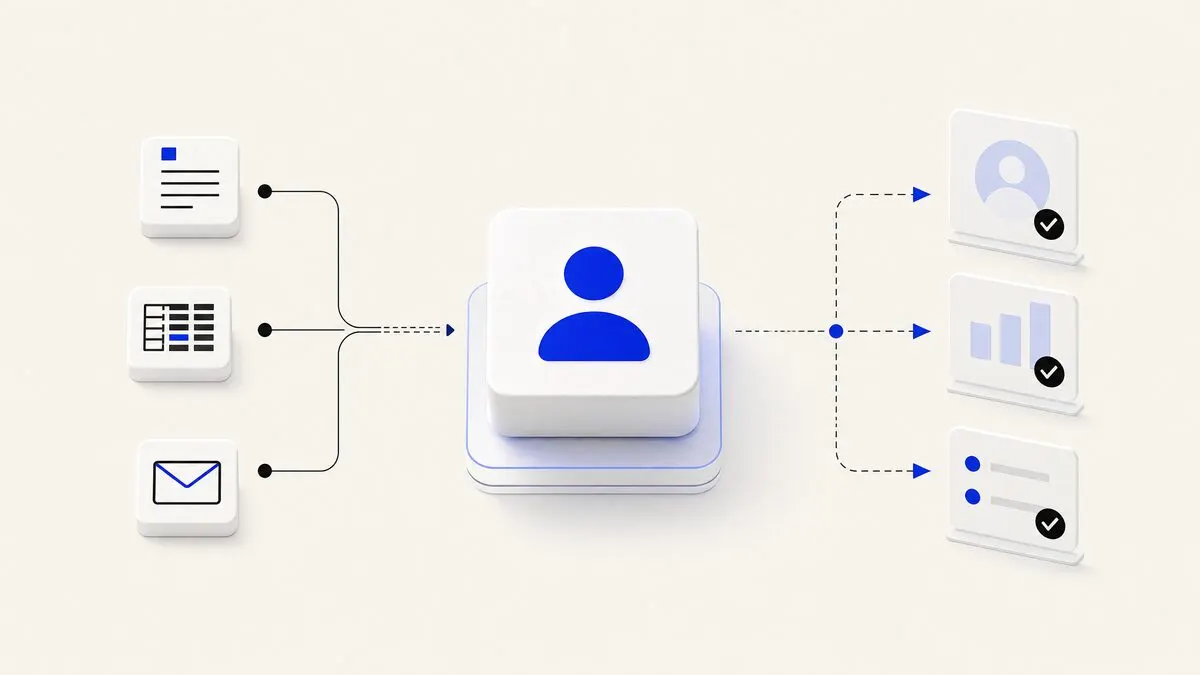
Because an AI employee can access your systems via APIs, it can:
- Look up customer details in your CRM.
- Check payment status in an accounting or billing system.
- Create and update tickets in a helpdesk.
- Record notes or summaries back into your database.
For example, a hypothetical 20‑person SaaS company might have an AI “Customer Success Assistant” that:
- Reads incoming support emails.
- Matches the sender to a CRM contact.
- Checks subscription status.
- Drafts a reply and suggests account changes.
- Logs a summary back to the CRM.
These flows are often orchestrated through services like AI agent development and API integrations.
3. Draft content and documents
Within clear templates and guidelines, an AI employee can:
- Draft email responses and outreach sequences.
- Propose social posts based on a brief.
- Generate internal reports from structured data.
- Summarise long threads or documents into action lists.
Human review is still key for public‑facing or legally sensitive content. AI is strong at first drafts and summarisation, weaker at final‑quality copy that must be fully accurate and on‑brand.
4. Monitor and nudge processes
AI employees can watch for events and keep people on track:
- Monitoring support queues and nudging humans when SLAs are at risk.
- Watching for failed integrations and flagging issues.
- Checking for incomplete records and suggesting what is missing.
This is a natural fit with business operations automation, where the AI is one component in a larger coordination layer.
5. Assist, not own, decisions
AI is useful as a “copilot” in decision‑making:
- Proposing options with pros and cons.
- Highlighting anomalies in data.
- Suggesting next best actions based on historical patterns.
But final decisions — hiring, firing, pricing changes, legal commitments, medical advice — should remain with humans, with AI as an input, not an arbiter.
What an AI employee cannot and should not do
Understanding the limits up front helps you design safer, more reliable roles.
1. It cannot take responsibility
An AI employee:
- Has no legal identity.
- Cannot sign contracts or accept terms.
- Cannot be held accountable in the way a person can.
Responsibility always rests with the organisation and, ultimately, with human managers. Any use of AI in regulated contexts should be checked against local laws and industry guidelines, and you should refer to official sources for up‑to‑date rules.
2. It cannot guarantee truth
Language models:
- Can generate confident but incorrect statements.
- May miss edge cases unless they are explicitly modelled.
- Depend heavily on the quality and freshness of their data sources.
For anything where factual accuracy is critical — legal advice, financial reporting, medical information — you should:
- Restrict the AI to vetted knowledge bases.
- Use conservative prompting (e.g., “If unsure, ask a human.”).
- Require human review before information is shared externally.
3. It cannot understand context like a human
AI can simulate understanding by pattern matching, but it does not truly grasp:
- Office politics, interpersonal history, or unspoken agreements.
- Cultural nuances, tone, or sarcasm in subtle situations.
- Strategic trade‑offs that involve values and long‑term vision.
That means AI employees are poor choices for:
- Managing people.
- Negotiating complex deals.
- Handling sensitive complaints without human backup.
4. It cannot redesign your business on its own
An AI employee will:
- Follow the processes you give it.
- Expose inefficiencies or gaps by failing or asking for help.
- Provide suggestions based on data.
But it will not:
- Re‑architect your organisation.
- Decide which markets to enter.
- Align conflicting incentives across departments.
Process design and change management are still human work. AI can support, but not lead, that effort. Many companies benefit from external AI consulting or an experienced AI automation agency when making these higher‑level decisions.
How to design an AI employee role
If you treat an AI employee like a real hire, you reduce risk and increase impact.
Step 1: Write a job description
Document, in plain language:
- Mission: what is this AI here to achieve?
- Scope: which processes, channels and systems?
- Boundaries: what it must never do (refunds above a certain amount, legal advice, etc.).
- Success metrics: response time, completion rate, customer satisfaction, escalation rate.
This becomes your blueprint for building and evaluating the system.
Step 2: Map the processes in detail
For each process, describe:
- Trigger – what starts the work? (new email, form submission, schedule)
- Inputs – what data or context does the AI get?
- Steps – what needs to happen, in what order?
- Decisions – where does it choose between paths?
- Outputs – what is produced or updated, and where?
Many of these steps can be implemented using workflow automation or business process automation with AI in the decision points.
Step 3: Choose the right level of autonomy
Instead of “fully autonomous or nothing”, think in modes:
- Draft mode – AI proposes, human approves (ideal early stage).
- Hybrid mode – AI acts autonomously on low‑risk tasks, escalates others.
- Autonomous mode – AI handles everything in a narrow, well‑tested scope.
You can move from draft to hybrid to autonomous as you gain confidence through real‑world monitoring.
Step 4: Put guardrails and monitoring in place
Good guardrails make AI employees safer:
- Access control – only the permissions they truly need.
- Validation rules – e.g., “Do not issue refunds above X without approval.”
- Escalation criteria – keywords, sentiment, or risk scores that trigger human review.
- Logging – keep records of inputs, outputs, and actions for audits and root‑cause analysis.
Monitoring should focus on:
- Error patterns and frequent escalations.
- Drift in tone or quality of responses.
- Unexpected usage spikes or system failures.
Managing AI employees alongside human teams
The human side determines whether AI employees help or hinder your organisation.
Set expectations cleanly
Explain to staff:
- What the AI employee will do.
- What it will not do.
- How they can override or correct it.
- How performance will be measured.
Position it as support, not surveillance or replacement. In many teams, AI works best as the first‑pass worker or “junior assistant” that handles the repetitive load.
Keep humans in the feedback loop
Humans should:
- Flag mistakes and unusual cases.
- Suggest new intents, templates or rules for the AI.
- Record when manual workarounds become common, signalling a process update is needed.
This feedback can be incorporated via regular tuning of prompts, workflows, and knowledge bases, usually with help from teams experienced in custom AI development and AI agent development.
Review and adapt over time
AI employees are not “set and forget.” Plan for:
- Quarterly reviews of scope and performance.
- Updates when tools or policies change.
- Decommissioning or repurposing roles that no longer make sense.
Treat them like evolving systems that must stay aligned with your strategy, not fixed projects frozen at launch.
Written by John Yang, Founder at Framworq.