On this page
- What is HeyGen multilingual video and when does it make sense?
- Core building blocks of a scalable HeyGen workflow
- How to design a multilingual HeyGen pipeline step by step
- Where automation adds the most value with HeyGen
- Trade-offs and pitfalls when scaling multilingual HeyGen content
- How agencies and in-house teams can approach HeyGen at scale
Using HeyGen for multilingual video at scale means treating it not as a one-off tool, but as a repeatable pipeline: you standardise scripts and templates, automate language and avatar variations, and add quality control at every step. With the right workflow and integrations, you can reliably produce dozens or hundreds of language versions from a single master video while keeping brand, tone, and timing consistent.
What is HeyGen multilingual video and when does it make sense?
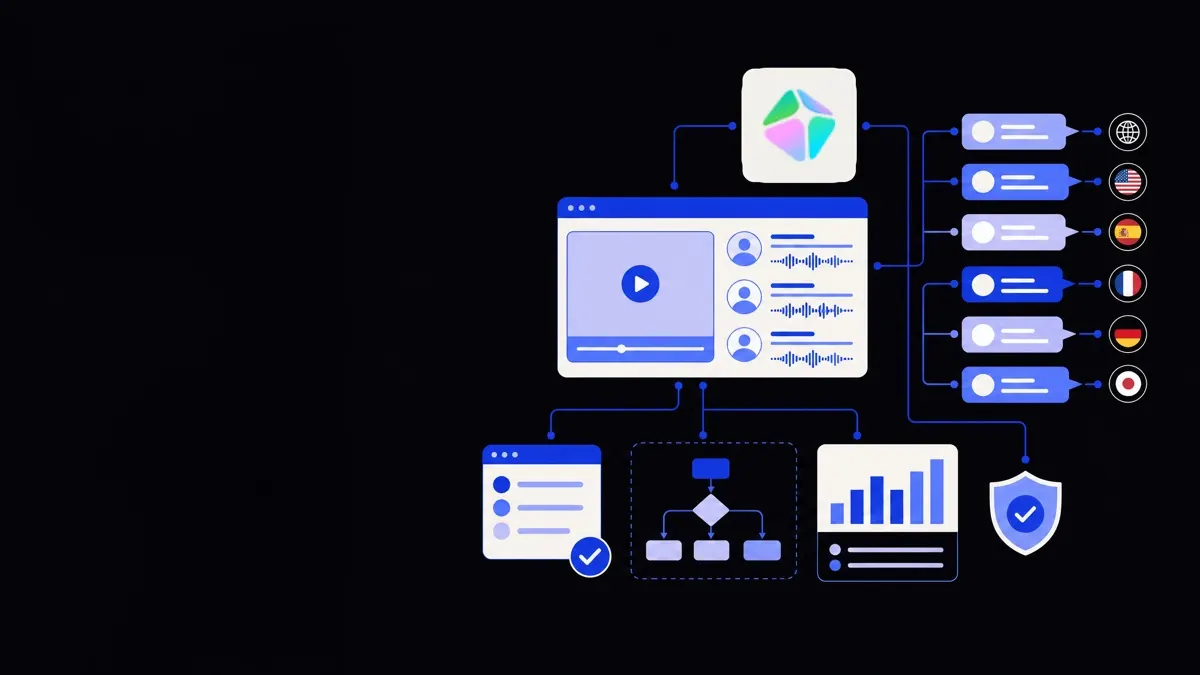
HeyGen multilingual video is a workflow where you use HeyGen’s avatars, lip-sync and text‑to‑speech features to create the same video in multiple languages from one master script or recording.
It makes most sense when:
- You produce recurring content: onboarding, training, product explainers, internal updates.
- Your brand or clients operate in 3+ regions or language markets.
- You need consistent visuals, but flexible localisation.
- You want to reduce dependency on live presenters and studio time.
Typical use cases include:
- Product demos and feature announcements for global SaaS products.
- Internal L&D content in multiple offices and languages.
- Compliance and safety training where every market must see the same core message.
- Marketing agencies delivering localisation for many clients on the same stack.
The key to multilingual video at scale is building a repeatable system around HeyGen, not relying on one project at a time.
Core building blocks of a scalable HeyGen workflow
Before you automate anything, it helps to define a few building blocks that you can standardise.
1. Script architecture
A multilingual script needs to be modular. That means the script is designed so that key sections are clearly separated and can be translated or swapped independently.
Useful practices:
- Separate evergreen core (the same across all languages) from local inserts (market‑specific examples, pricing, legal).
- Set timing constraints: approximate duration per section, character limits per screen, and maximum sentence length to fit visuals.
- Mark non-translatable content such as product names, URLs, or legal terms.
Define a simple structure like:
- Hook (universal)
- Problem statement (universal)
- Solution and feature overview (mostly universal)
- Local examples / testimonials (localised)
- Call to action (partly localised, e.g. region-specific website or sales team)
2. Visual and avatar templates
A template in HeyGen is a pre‑designed scene and avatar setup that you reuse across languages.
Standardise:
- Avatar choice per brand (e.g. one avatar per brand or persona, male/female variants if needed).
- Background and layout (logo placement, lower thirds, brand colours).
- Scene sequencing (talking-head, product shots, B‑roll, screen recordings).
- Subtitle style (font, positioning, whether single- or double-line).
By locking these in, your multilingual work is mainly text and language decisions, not repeated design effort.
3. Audio, voice and lip-sync constraints
HeyGen’s strength is synthesised voices with lip-sync. To keep quality high:
- Map each language → voice in a matrix (e.g. Spanish (LatAm) vs Spanish (Spain)).
- Decide on formal vs casual tone for each language and audience.
- Set rules for speed: some languages run longer for the same content, so decide whether to allow longer runtimes or trim the script.
This matrix becomes part of your standard operating procedure (SOP) and can later drive automation.
How to design a multilingual HeyGen pipeline step by step
Scaling multilingual video is mostly about defining clear steps and owners. Here is a practical pipeline most creative and marketing teams can adapt.
Step 1: Create the master video
Start with your “source of truth” in one language, usually English or the language where stakeholders are most comfortable reviewing content.
- Draft the script using the modular structure.
- Build a HeyGen template for this format (avatar, backgrounds, subtitle style).
- Produce the first video and iterate until stakeholders approve:
- Message and ordering
- Tone and pacing
- Visual style and transitions
Lock the template and script version once approved. Future language versions should not change this without a clear change request.
Step 2: Prepare scripts for translation
Export the script into a format translators can use without touching the visuals.
Options:
- A simple spreadsheet with columns like:
- Section ID
- English text
- Notes (tone, constraints, non-translatable terms)
- Target language columns (DE, ES, FR, etc.)
- Integration with a Translation Management System (TMS) if your organisation uses one.
Important practical constraints:
- Include maximum character counts per section where possible.
- Mark sync-critical lines that must align to on-screen actions or screen recordings.
- Provide context screenshots or a prototype video so translators understand timing and visuals.
Step 3: Translate and localise, not just convert text
Multilingual success comes from localisation, not literal translation.
Ask translators or localisation partners to:
- Adjust idioms and examples to local norms.
- Respect tone of voice (formal vs informal second-person).
- Keep URLs, product names, or sketches consistent across versions.
- Flag any parts that will not work culturally or legally in their region.
If you use AI translation as a starting point, keep a human review step for each language that matters to revenue or compliance.
Step 4: Import and assemble language variants
This is where HeyGen and automation combine.
A basic manual flow:
- Copy each translated script into the HeyGen project for that language.
- Swap the avatar voice to the mapped language voice.
- Regenerate the video.
- Export draft versions for review.
A more automated flow using tools like workflow automation and API integrations:
- Store all scripts and translations in a central database or spreadsheet.
- Use the HeyGen API and a workflow engine (Zapier, Make, n8n, or a custom orchestrator) to:
- Watch for new or updated translations.
- Call HeyGen to generate the right language version using the template.
- Save or upload renders to a specific folder or DAM.
- Notify reviewers when drafts are ready.
Teams that produce high volumes often benefit from a small custom “video factory” dashboard built on top of HeyGen’s API to manage languages, versions, and status. That can be built with custom AI development and light UI.
Step 5: Quality control before publishing
Structured quality assurance saves time and avoids embarrassing public mistakes.
Checklists should cover:
- Language accuracy: spelling, grammar, correct dialect.
- Brand and tone: formality level, pronouns, brand terms.
- Timing and pacing: is the speech rushed, or are there long silent gaps?
- Visual alignment: are subtitles in sync, are screen captures matching the narration?
- Legal and compliance: disclaimers in the right language, correct regional statements.
For large teams, it is useful to define:
- One native or near-native reviewer per language.
- Clear “approve / change-request” statuses.
- A feedback channel that is tied back to the script spreadsheet or TMS, not just comments on rendered files.
Where automation adds the most value with HeyGen
If you are using HeyGen for multilingual video regularly, certain parts of the process are ideal for automation.
Automate repetitive steps, not editorial judgment
Strong candidates for automation include:
- Pulling approved translations from a central source.
- Creating and naming HeyGen projects or variants per language.
- Applying consistent voice and avatar selections.
- Rendering and routing finished videos to storage or publishing systems.
- Updating dashboards or spreadsheets with status and URLs.
Tasks that should usually stay human-led:
- Deciding when a script change needs a new translation.
- Approving translations and localisation choices.
- Spot-checking timing, tone, and cultural references.
This split is where an AI automation agency can help design a robust process. For example, Framworq often combines AI agent development with HeyGen to build agents that:
- Validate script structure before production.
- Flag sections likely to break timing constraints in certain languages.
- Pre-check translations against glossaries and style guides.
Integrating HeyGen into your wider creative stack
HeyGen usually sits in a larger ecosystem of tools:
- Project management: Asana, Jira, Trello.
- Translation / localisation: TMS platforms, spreadsheets, or custom portals.
- Asset management: Google Drive, SharePoint, DAMs.
- Channels: YouTube, LMS systems, internal hubs, or marketing automation tools.
Using API integrations, you can:
- Trigger new video versions when a master script is updated and translations are approved.
- Automatically sync thumbnails, titles, and descriptions in the right language.
- Update your LMS or intranet with new language versions of training modules.
For creative agencies, these integrations sit well within broader creative agency automation programs, where video is one of several recurring deliverables.
Trade-offs and pitfalls when scaling multilingual HeyGen content
HeyGen is powerful, but scaling without planning can cause issues. Being aware of trade-offs helps you design guardrails.
1. Avatar realism vs localisation authenticity
Highly realistic avatars can look impressive, but they may feel less authentic than regional presenters.
Trade-offs:
- Consistency: one avatar across all languages gives a unified brand image.
- Relatability: some audiences may prefer local faces and accents.
A practical middle ground:
- Use one “global” avatar for training and internal content.
- Use alternate avatars or light localisation (e.g. different backgrounds) for public-facing campaigns in key markets.
2. Voice selection and dialect differences
Choosing one Spanish voice for all Spanish-speaking markets, or one French voice for France and Canada, can feel inauthentic.
Options:
- Use neutral accents for broad audiences where budget is limited.
- Offer market-specific variants only for your highest-value regions.
- Maintain a voice and dialect matrix so choices are consistent across projects.
3. Timing and length constraints
Some languages (German, Russian) typically require more words than English to say the same thing.
If you hold video length constant:
- Translators must condense more aggressively.
- Some nuance may be lost.
If you allow lengths to vary:
- Local versions might not match exactly for analytics or compliance.
- Some on-screen timings may need per-language adjustment.
The best practice is to:
- Build some buffer into the master script (avoid maxing out every second).
- Mark critical sync points and be flexible elsewhere.
4. Governance and version control
When one master video spawns a dozen language versions, versioning gets complex.
Common pitfalls:
- Publishing outdated translations while the master has been updated.
- Losing track of which legal disclaimers apply in which region.
- Not knowing which video is currently approved.
A simple governance model should define:
- Where the single source of truth for scripts and translations lives.
- How version numbers are assigned to each master and language variant.
- Who signs off on final release per language and per channel.
Even a well-structured spreadsheet combined with clear SOPs is better than scattered documents and emails.
How agencies and in-house teams can approach HeyGen at scale
For agencies and larger teams, HeyGen is not just a tool; it becomes part of a production service line.
Practical approaches:
- Build a repeatable offer: e.g. “Global Video Pack” that includes one master and a defined set of language versions.
- Define SLAs per language: turnaround times that include translation, production, and approval.
- Maintain reusable templates and playbooks for specific industries or recurring use cases.
- Standardise pricing models around language counts and levels of localisation (basic translation vs full local creative adaptation).
Many creative and marketing agencies use HeyGen-based workflows within broader sales and marketing automation solutions, so that video production is aligned with lead nurturing and content calendars rather than treated as ad-hoc work.
For in-house teams, especially in corporate or regulated industries, a structured approach to multilingual HeyGen production can reduce compliance risk while keeping content fresh across markets.
By defining clear templates, a language-aware script pipeline, and a modest layer of automation around HeyGen, you can move from occasional experiments to a dependable multilingual video capability that the whole organisation can rely on.