On this page
- What is the difference between automation and AI automation?
- Defining each term in business language
- Automation vs AI automation: where each makes sense
- Comparing benefits, costs, and risks
- How to decide: automation vs AI automation for a specific process
- Building a roadmap that blends automation and AI automation
Understanding automation vs AI automation comes down to one core idea: traditional automation follows fixed rules designed in advance, while AI automation uses models that learn from data and adapt to new situations. Both reduce manual work, but they solve different types of problems and demand different investments, skills, and risk controls.
What is the difference between automation and AI automation?
Automation is the use of software or machines to perform repeatable tasks based on predefined rules. AI automation is automation powered by artificial intelligence models that can interpret data, handle variation, and make probabilistic decisions rather than simply follow a fixed script.
The practical differences show up in five areas:
- Type of work handled
- Automation: stable, predictable workflows.
- AI automation: variable, judgment-heavy, or ambiguous work.
- How logic is created
- Automation: humans define clear rules and workflows.
- AI automation: humans define goals and guardrails; models learn patterns from data.
- How systems respond to change
- Automation: breaks or needs reconfiguration when inputs change.
- AI automation: can often generalise and adapt within limits.
- Input and output formats
- Automation: best with structured data and standard forms.
- AI automation: can process text, speech, images, and messy or incomplete inputs.
- Risk profile and governance
- Automation: easier to predict and audit.
- AI automation: more powerful but requires stronger monitoring and controls.
Use standard automation anywhere rules are clear, and reserve AI automation for work that needs judgment, language understanding, or pattern recognition.
Defining each term in business language
What is traditional automation?
Traditional automation is software-based execution of tasks using explicit, human-defined rules. If-then logic, workflow engines, and robotic process automation are common examples.
In practice, this usually looks like:
- Moving data between systems based on triggers.
- Applying fixed business rules to approve or reject items.
- Generating documents from templates.
- Posting scheduled updates or notifications.
Key properties:
- Deterministic – The same input always produces the same output.
- Explainable by design – You can trace outcomes to specific rules.
- Configuration-heavy – Analysts and engineers map every step of the workflow.
This is the right choice when your process can be drawn as a clear flowchart with few exceptions.
What is AI automation?
AI automation is automation where key steps are powered by machine learning or large language models rather than fixed rules alone. The system still runs a workflow, but parts of the workflow involve interpretation, prediction, or content generation.
Examples include:
- Classifying incoming emails and drafting responses based on context.
- Extracting information from unstructured documents like PDFs or contracts.
- Prioritising leads by predicting likelihood to convert.
- Summarising customer calls and suggesting next actions.
Key properties:
- Probabilistic – The same input can sometimes produce different outputs.
- Data-driven – Performance depends on training data and prompt design.
- Adaptive – Models can be updated or fine-tuned as new data arrives.
This is the right choice when humans currently read, interpret, and decide based on messy information.
Automation vs AI automation: where each makes sense
For leaders designing an operations or AI roadmap, the most helpful distinction is by problem type.
Problems suited to traditional automation
Use standard automation when:
- Rules are clear and stable
- Example: Routing invoices to the right cost centre based on supplier and amount.
- Data is structured and reliable
- Example: Syncing CRM and billing records when a deal closes.
- Error tolerance is low and outcomes must be consistent
- Example: Tax calculations, payroll runs, compliance checks.
- Volume is high but variation is low
- Example: Sending routine status updates and notifications.
These processes benefit from:
- Lower implementation risk.
- Easier compliance audits.
- Predictable operating costs.
Problems suited to AI automation
Use AI-powered automation when:
- Inputs are unstructured or messy
- Emails, chats, handwritten notes, scanned documents, call transcripts.
- Work requires interpretation of language or nuance
- Understanding customer intent, tone, or urgency.
- Rules cannot capture all edge cases
- Fraud detection, support triage, anomaly alerts.
- Humans currently read and decide one item at a time
- Reviewing contracts, support tickets, or free-form survey responses.
These processes benefit from:
- Higher coverage of complex cases.
- Faster throughput without linearly adding headcount.
- New capabilities, such as summarising or rewriting content on demand.
A useful mental model: if you can write a precise checklist that always works, you probably need traditional automation; if your checklist has a lot of “it depends” and “use judgment,” AI automation may add value.
Comparing benefits, costs, and risks
Benefits and limitations of traditional automation
Benefits
- Predictable behaviour – Easier to test, validate, and certify.
- Straightforward ROI – Time saved is easy to measure.
- Simpler governance – Change control and approvals follow existing IT patterns.
- Lower skills barrier – Many workflow tools support low-code configuration.
Limitations
- Brittle to change – Small process or UI changes can break flows.
- Limited to clear rules – Struggles with exceptions and messy data.
- Can push complexity onto humans – People must pre-clean data or handle edge cases manually.
Benefits and limitations of AI automation
Benefits
- Handles complexity and ambiguity – Can interpret natural language and varied formats.
- Takes on judgment-heavy steps – Drafts decisions or recommendations for human review.
- Scales knowledge work – One system can support many teams and processes.
- Enables new experiences – Conversational interfaces, intelligent search, adaptive workflows.
Limitations
- Less predictable – Outputs can vary and sometimes be wrong or overconfident.
- Requires data stewardship – Data quality, privacy, and access control become critical.
- More involved governance – You need clear policies on acceptable use and oversight.
- Higher change management needs – Teams must learn how to work with AI suggestions and validate outputs.
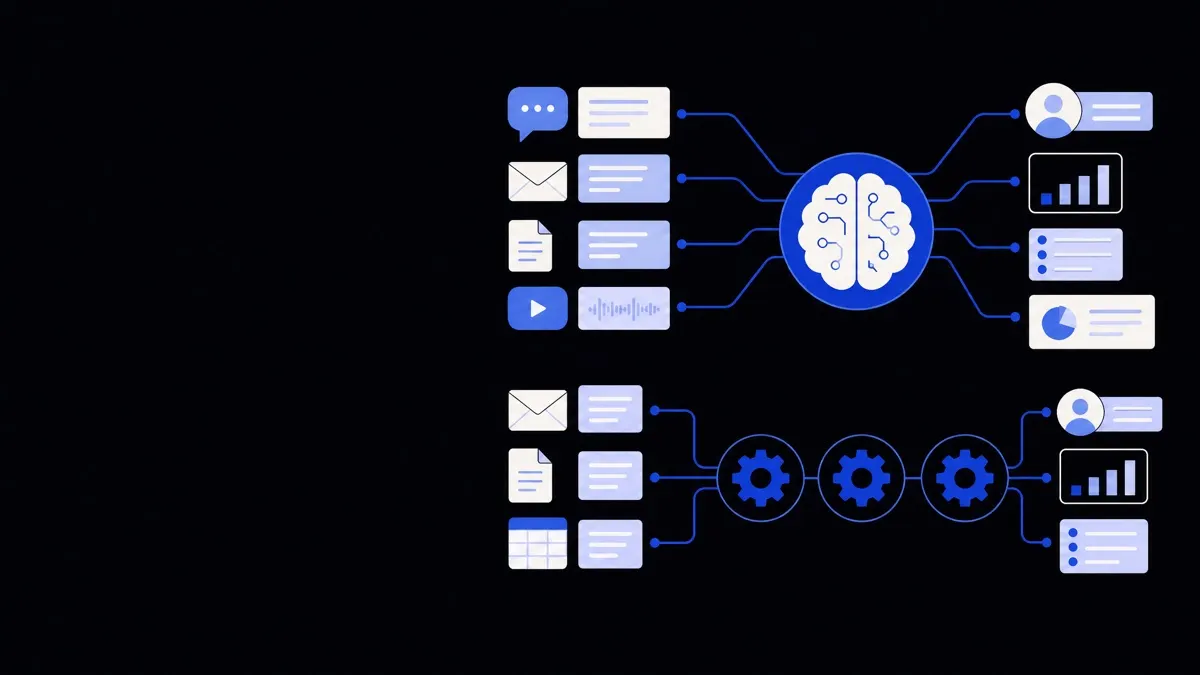
For many real-world projects, the best result comes from combining both: rules-based orchestration with AI models in specific decision or interpretation steps. Many of the solutions in an AI automation portfolio, such as business operations automation or sales and marketing automation, follow this pattern.
How to decide: automation vs AI automation for a specific process
When reviewing a process, it helps to walk through a simple decision sequence.
- Map the workflow
- Write down the main steps.
- Note which systems are involved and who makes which decisions.
- Classify each step
- Ask: is this step driven by clear rules or by human judgment?
- Ask: are the inputs structured (fields and forms) or unstructured (text, calls, documents)?
- Choose the right technique per step
- Structured + rules → traditional automation.
- Unstructured + judgment → candidate for AI assistance.
- Mixed → use automation to orchestrate, and AI for specific tasks like classification or summarisation.
- Define guardrails
- Decide which outputs can be fully automated and which must be reviewed.
- Set thresholds for confidence scores, escalation paths, and exception handling.
- Pilot on a narrow slice
- Start with a small subset of volume or a single team.
- Measure baseline metrics before and after.
- Iterate based on evidence
- Adjust prompts, rules, and routing based on failure cases.
- Add monitoring for both performance and unintended effects.
This step-by-step approach helps you treat AI as one more tool in the automation toolkit, rather than as a replacement for everything that already works.
Building a roadmap that blends automation and AI automation
For most organisations, the real opportunity is not choosing between automation vs AI automation, but sequencing them well and combining them safely.
Start with foundations
Before adding AI:
- Stabilise core processes
- Clean up duplicated steps and unnecessary approvals.
- Standardise inputs where possible.
- Integrate key systems
- Reduce manual rekeying between CRM, ERP, support tools, and data warehouses.
- Consider using structured custom API integrations as the backbone.
- Document rules
- Write down the decision criteria people already use, even if they seem obvious.
- This documentation supports both automation and AI prompt design.
Layer AI where it adds clear leverage
Once foundations are in place, look for specific leverage points:
- Front-door triage
- Use AI to read inbound emails, forms, or tickets and route them to the right queue.
- Keep final decisions (e.g., refunds, escalations) under human control at first.
- Assisted decision-making
- Have AI draft responses, summaries, or classifications.
- Let humans accept, edit, or reject suggestions, capturing feedback to improve the system.
- Knowledge retrieval
- Use AI to search across documents, policies, and prior cases.
- This reduces time spent “finding the right information” before acting.
Over time, some of these assisted steps can be promoted to full automation when you have enough confidence and monitoring in place.
Think in terms of capabilities, not tools
Instead of anchoring on specific technologies, frame your roadmap around capabilities such as:
- “Classify and route all inbound requests within 5 minutes.”
- “Generate accurate, branded customer responses from existing policies.”
- “Process invoices from any supplier format with minimal manual corrections.”
Then work backward to decide which combination of rules-based automation and AI components delivers each capability. Reviewing available AI automation solutions as building blocks can help structure this thinking, and an experienced AI automation agency can map that combination to your own workflows.
By making a clear distinction between what rules-based automation does best and where AI automation adds unique value, business leaders can design cleaner processes, avoid overcomplicating simple tasks, and invest in AI where it meaningfully augments human judgment rather than trying to replace it.