On this page
- What does it mean to build a custom GPT for business?
- Step 1: Decide the narrow problem your custom GPT will solve
- Step 2: Gather and prepare your documents
- Step 3: Choose your platform and retrieval strategy
- Step 4: Design how your custom GPT behaves
- Step 5: Integrate with your tools and control access
- Step 6: Test, measure, and iterate
To build a custom GPT for business on your own documents, you gather and clean the content you trust, connect it to a suitable language model, and then wrap it with clear instructions, guardrails, and access controls so your team can safely use it in their daily work. The core of the process is designing how the GPT retrieves, reads, and answers from your internal knowledge, then testing and refining it against real workflows.
What does it mean to build a custom GPT for business?
A custom GPT for business is a private AI assistant that is tuned to your company’s specific documents, processes, and language so it can answer questions and draft content using only the information you choose.
Instead of a generic model that has broad knowledge but no context about your organisation, a custom GPT sits on top of your policies, playbooks, specs, and datasets. It can pull the right content, apply your tone and rules, and stay within boundaries you define.
The core building blocks are:
- Base model – the underlying GPT‑class language model you call through an API or a platform interface.
- Knowledge base – the documents and data you want the model to reference, stored in searchable form.
- Retrieval layer – how the GPT finds the right passages (often called retrieval‑augmented generation, or RAG).
- System prompts and policies – instructions that define how the GPT should behave, what it should avoid, and how it should respond.
- Integration and UI – where people access it: chat interface, CRM sidebar, internal portal, or workflow automation.
A useful custom GPT is less about “smart prompts” and more about carefully chosen data, retrieval, and rules that match real business workflows.
Step 1: Decide the narrow problem your custom GPT will solve
Before you touch any tools, define one specific use case where a custom GPT can add value quickly. Narrow scope leads to higher accuracy and easier adoption.
Common starting points include:
- Internal knowledge search – policies, FAQs, onboarding docs.
- Customer support assistance – suggest answers from your help centre and past tickets.
- Sales enablement – product specs, battlecards, pricing rules.
- Operations playbooks – SOPs, checklists, templates for recurring tasks.
Answer these questions in writing:
- Who will use it (role, team, region)?
- What questions do they ask now, and where do they look for answers?
- What sources are “source of truth” for those answers?
- What is out of scope (for now)?
For example, you might start with “support agents answering product setup questions” and limit the knowledge base to the public help centre plus internal troubleshooting guides, avoiding anything related to billing or legal topics.
If you are not sure where to begin, a short AI consulting engagement can help map the workflows, systems, and constraints before you commit to building.
Step 2: Gather and prepare your documents
Your custom GPT is only as good as the documents you feed it. This step is usually 60–70% of the real work.
Identify the right sources
List the systems and formats that contain answer‑worthy content for your chosen use case, for example:
- Knowledge bases (Notion, Confluence, SharePoint, Google Drive)
- Policy manuals and SOPs (PDFs, Word docs, wikis)
- Product documentation and API references
- Help centre articles and macros from your ticketing system
- Spreadsheets with rules, thresholds, or mappings
Then decide which set is the “single source of truth” when documents disagree. Make that explicit in your design.
Clean and standardise content
Aim for content that is:
- Current – remove obsolete versions and clearly mark draft vs approved.
- Structured – use headings, bullet points, and clear sections.
- Self‑contained – each document or section should stand on its own when read in isolation.
Practical cleanup steps:
- Delete or archive outdated copies and drafts.
- Merge near‑duplicate documents.
- Add clear titles and section headings.
- Convert scanned PDFs to text with OCR and fix obvious errors.
- Separate confidential attachments or PII that should never be used.
If you have large volumes of messy PDFs, invoices, or forms, tools like document processing and OCR can help automate extraction and clean‑up before you feed data to the GPT.
Decide what must stay private
Mark documents that contain:
- Personal data or HR details
- Financial or pricing strategy
- Customer‑identifiable information
- Legal or compliance‑sensitive content
These may need stricter access rules, masking, or exclusion from the knowledge base for the first version.
Step 3: Choose your platform and retrieval strategy
There are three broad ways to build a custom GPT on your own docs, with different trade‑offs.
Option 1: Hosted “custom GPT” tools
Some platforms let you upload files or connect cloud drives, then configure a GPT‑like assistant in a web UI.
Pros:
- Fast to get a prototype running.
- Little or no engineering required.
- Built‑in chat interface and basic access control.
Cons:
- Less control over retrieval logic and data residency.
- Harder to deeply integrate into your existing systems.
- Vendor lock‑in if you later need custom behaviour.
This route is best if you want a quick internal pilot for a small group.
Option 2: Retrieval‑augmented chatbot via APIs
Here you use an API‑accessible model, add your own vector database or search index, and build a simple chat interface or integrations.
Pros:
- Fine‑grained control over data storage and access.
- You can tune chunking, embeddings, and ranking.
- Easier to connect with existing apps through API integrations.
Cons:
- Requires developer time and monitoring.
- More moving parts (model, index, storage, auth).
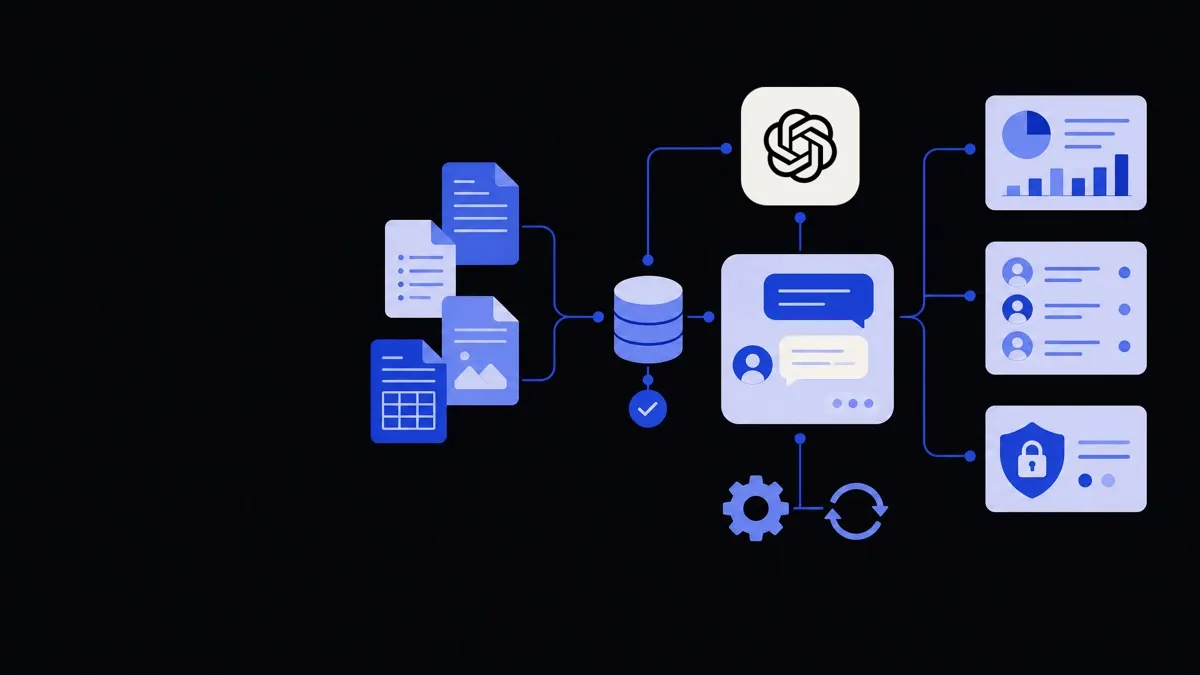
The standard pattern is:
- Break documents into chunks (e.g., 300–800 words).
- Create vector embeddings for each chunk and store them in a vector database.
- On each query, search the index for the most relevant chunks.
- Feed those chunks plus the question into the GPT with instructions to stay within the provided context.
This is the most common route for serious business deployments.
Option 3: Heavier fine‑tuning
Fine‑tuning means adjusting model weights on your own data, usually examples of questions and ideal answers or specific writing styles.
Pros:
- Can improve performance on niche domains or formats.
- Captures stylistic and reasoning patterns.
Cons:
- More complex to manage and update.
- Still often needs a retrieval layer for current facts.
- Requires more careful evaluation and safety testing.
For most business knowledge tasks, a strong base model plus retrieval is enough. Consider fine‑tuning later, once you have clear evidence of recurring failure patterns.
Step 4: Design how your custom GPT behaves
Once your data and platform are chosen, you need to define how the GPT thinks and speaks. This is where system prompts, guardrails, and policies come in.
Write a clear system prompt
A system prompt is a set of instructions passed to the model on every request. It defines its role, style, and boundaries.
Cover these elements:
- Role – who the GPT is (e.g., “You are an internal support assistant for Company X”).
- Scope – what it can and cannot answer.
- Knowledge source – it should rely on retrieved context, not general web knowledge, for critical facts.
- Tone and format – concise, step‑by‑step, plain language, required sections.
- Uncertainty handling – what to do when the answer is unclear or missing.
Example rules to include:
- Prefer quoting or citing the specific document section you used.
- If no relevant context is found, say you do not know and suggest where to look.
- Never fabricate policy details, prices, or contractual terms.
Set safety and compliance guardrails
Depending on your domain, you may need stricter controls. Define:
- Topics the GPT must avoid (e.g., legal advice, medical diagnosis).
- Types of data it must not request or expose (e.g., full payment details).
- Escalation paths (e.g., “Stop and tell the user to contact Finance”).
You can enforce some of this with prompts, and some via application logic that filters inputs or blocks certain actions.
Align with real workflows
Map the GPT’s behaviour to how your team already works:
- Preferred answer formats (checklists, “TL;DR + details,” template‑filled drafts).
- Any internal tags or IDs it should reference (product codes, policy IDs).
- Common follow‑up questions that can be pre‑handled.
Teams using broader business operations automation often connect GPTs to existing process tools so answers can link directly to tickets, tasks, or workflows instead of living only in chat.
Step 5: Integrate with your tools and control access
A custom GPT for business becomes useful when it is reachable in the tools your team already uses and respects company permissions.
Choose where people will use it
Common integration points:
- Internal web portal or intranet chat.
- Helpdesk sidebar for support agents.
- CRM sidebar for sales reps.
- Slack, Teams, or email bots.
- Internal tools via AI agent development that can both answer and perform actions.
Start with one or two high‑traffic locations to avoid spreading adoption too thin.
Implement authentication and permissions
Your GPT should obey the same access rules as your documents. Practical options include:
- Single sign‑on (SSO) with your identity provider.
- Role‑based access control (RBAC) so only certain teams see sensitive content.
- Per‑index or per‑collection permissions in your search or vector database.
If your HR policies folder is restricted, the GPT should never surface its content to someone without permission, even if the model technically has access.
Decide logging and privacy rules
Define up front:
- What gets logged (questions, answers, metadata).
- Who can review logs, and for what purpose.
- How long logs are retained.
- Whether any data is sent back to vendors for training (often turned off for business use).
Clear policies reduce risk and help with compliance and audits.
Step 6: Test, measure, and iterate
Treat your custom GPT launch as an experiment, not a one‑time project.
Build a realistic test set
Before broad rollout, collect 30–100 real questions from your target users, along with:
- The correct answer or source document.
- Notes on what a “good” answer looks like (concise, complete, safe).
Include edge cases and ambiguous questions. Use this set to compare different prompt settings, retrieval parameters, or data selections.
Define quality criteria
For most business GPTs, you care about:
- Accuracy – is the answer factually correct?
- Grounding – does it clearly rely on your documents?
- Completeness – does it address the full question?
- Clarity – is it easy to follow and act on?
- Safety – does it avoid disallowed content or risky guidance?
You can score a sample of answers manually on a 1–5 scale for each dimension and track improvements over time.
Iterate on data, not just prompts
Common fixes after initial testing:
- Split very long documents into smaller, focused pages.
- Add missing FAQs as explicit documents.
- Reword headings so they better match how users phrase questions.
- Tag or separate conflicting “draft” content from final policies.
It is often more effective to adjust your knowledge base structure than to endlessly tweak the system prompt.
Plan for ongoing maintenance
Your custom GPT is a living system that reflects your changing business. Put in place:
- An owner for each knowledge area (HR, Support, Sales).
- A schedule for syncing or re‑indexing documents.
- A path for users to flag bad or outdated answers.
- A simple change log for major updates that might affect responses.
As you expand to more use cases, you can either create specialised GPTs for each domain or a single assistant with clear routing logic, depending on how different the workflows are.
By treating “build custom GPT for business” as a structured project — define scope, prepare documents, choose architecture, design behaviour, integrate, then iterate — you can move from a generic chatbot to a dependable internal assistant that reflects how your company actually works.