
How to build an AI voice agent with Vapi end to end
Learn the practical, end-to-end steps to design, configure, integrate, and deploy a production-ready AI voice agent using Vapi.
On this page
- What is Vapi and when should you use it?
- Planning your AI voice agent before touching Vapi
- How to build an AI voice agent with Vapi step by step
- Adding tools and integrations to your Vapi voice agent
- Testing, monitoring, and improving your Vapi agent
- Deploying and operating your Vapi voice agent in production
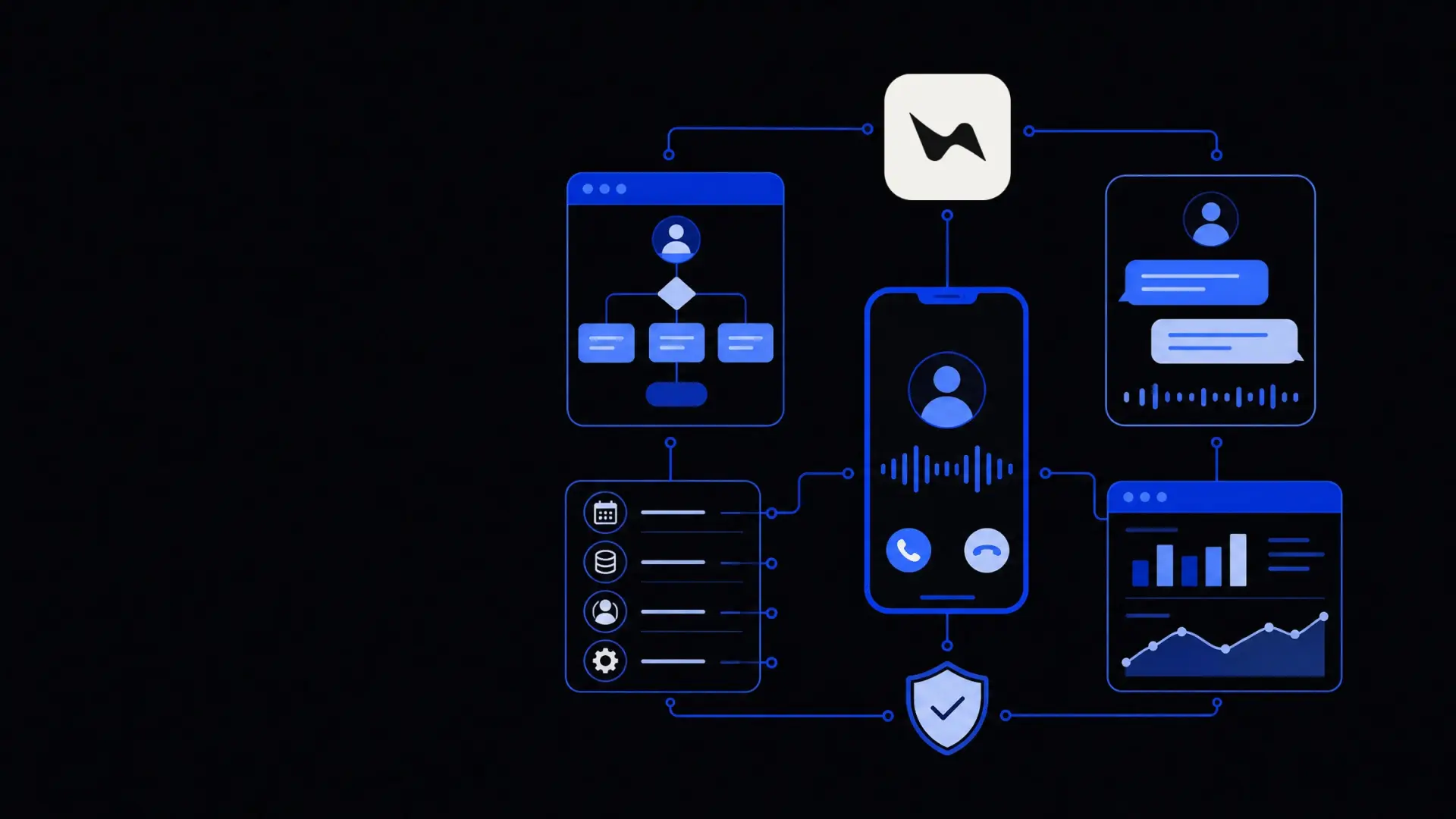
To build an AI voice agent with Vapi, you define the conversation role and call flow, configure the agent in Vapi, connect it to your systems through tools and webhooks, then deploy it on phone numbers or in your app while monitoring real call metrics and iterating on prompts. Vapi handles telephony, streaming audio, and LLM orchestration, so you can focus on conversation design, integrations, and guardrails rather than low‑level infrastructure.
What is Vapi and when should you use it?
Vapi is a platform for building real‑time AI voice agents that can talk on phone calls, in apps, or in browsers using large language models and speech technology. It combines telephony, speech‑to‑text, text‑to‑speech, and LLM logic behind a single API and dashboard.
Use Vapi when you need:
- Two‑way, real‑time voice instead of only chat.
- Phone call handling (inbound, outbound, or both).
- Integration with your systems, such as CRMs, booking platforms, or internal APIs.
- Programmable flows using tools, functions, or external services.
- Scalable infrastructure so you do not manage your own telephony and audio streaming stack.
If your use case is primarily web or messaging chat, you may still build your assistant with Vapi’s underlying patterns but a chat‑focused stack or a solution like AI chatbots and voice agents may be simpler. For sales, support, or operations teams that already rely on phone calls, though, Vapi is a strong fit.
Planning your AI voice agent before touching Vapi
The quality of your agent depends more on planning than on any single setting. Before you log in to Vapi, define four things: purpose, guardrails, data, and success metrics.
1. Clarify the agent’s purpose and scope
Write one clear sentence that captures why the agent exists.
Examples:
- “Handle first‑line customer support for simple billing and account questions.”
- “Qualify inbound leads and book meetings for the sales team.”
- “Confirm appointments and reschedule when needed.”
Then define what the agent should do and must not do:
- Allowed tasks (e.g., verify identity, read account details, create tickets).
- Disallowed tasks (e.g., changing payment details, providing legal advice, cancelling high‑value contracts).
This scope becomes the backbone of your system prompt in Vapi.
2. Map the core call flow
An AI voice agent still benefits from a simple, structured flow. List the main paths:
- Greeting and disclosure.
- Identification and intent detection.
- Handling 2–5 primary intents (e.g., “check order status,” “book demo,” “update address”).
- Escalation to a human when needed.
- Wrap‑up and confirmation.
For each path, write example sentences the caller might say and what you want the agent to do. This is not a script; it is a “map” of outcomes.
3. Identify the data and tools the agent needs
An effective Vapi voice agent will almost always call into other systems.
Decide what the agent must be able to:
- Read: customer profiles, orders, tickets, appointments.
- Write: notes, new leads, bookings, changes to records.
- Trigger: workflows such as sending emails, SMS, or notifications.
At this stage, note which systems are involved (CRM, helpdesk, booking tool, internal API) and what minimum API endpoints or automations you will need. If you do not yet have APIs or workflows, consider connecting the agent through a workflow tool or a dedicated API integrations service later.
4. Define success and failure
Decide how you will measure whether your Vapi agent is working:
- Call containment rate (no human needed).
- Average handle time compared to human.
- Completion rate for core tasks (e.g., bookings created, tickets logged).
- Escalation rate and reasons.
You will use Vapi’s logs and analytics plus your own system data to track these.
The biggest performance gains for an AI voice agent usually come from better prompts and tools, not from changing the underlying model.
How to build an AI voice agent with Vapi step by step
Once you have the design, you can configure the agent in Vapi. The exact UI evolves, but the process typically follows these steps.
1. Create a new agent
In the Vapi dashboard:
- Create a new voice agent.
- Name it clearly (e.g., “Support – Billing L1 Voice Agent”).
- Choose the base LLM model (OpenAI, Anthropic, etc.) based on your requirements for latency, cost, and behavior.
- Set basic voice options (language, voice style, speaking rate).
At this point you have a minimal agent; the rest is about making it behave like a specialist, not a generic assistant.
2. Write the system prompt and conversation rules
The system prompt describes the agent’s role, tone, and boundaries. Start with:
- Role: “You are a polite, concise billing support agent for Company X.”
- Scope: Include what it can and cannot do, from your planning stage.
- Tone and style: Short answers, no jargon, confirm key details back to the caller.
- Escalation rules: When to transfer or end the call and log a follow‑up.
- Compliance lines: If needed, include disclosures or legal boundaries.
Keep the prompt structured with short bullet points and explicit instructions like “Never guess account details; if unsure, escalate.”
3. Configure memory, context, and knowledge
Vapi can pass custom context and memory to the model. Use this to:
- Inject company‑specific FAQs, policies, or product info.
- Provide up‑to‑date business hours, pricing rules, or processes.
- Maintain short‑term call memory (e.g., preferences mentioned earlier).
For more complex knowledge, you may combine Vapi with an external retrieval system or leverage a broader custom AI development approach that Vapi calls as a tool.
4. Set speech parameters and latency trade‑offs
Balance “human‑like” speech with speed:
- Transcription model: Faster models give lower latency but may mishear accents.
- Voice model: More expressive voices may be slightly slower or more expensive.
- Turn‑taking settings: Configure how quickly the agent starts speaking after the user, and whether it can interrupt or barge in.
For customer‑facing use, prioritize fast, slightly less expressive voices over slower ones. Voice agents that pause too long before replying feel less natural than those with simple intonation but low latency.
5. Define call handling behavior
Configure how calls are started, transferred, and ended:
- Greeting: Short, clear introduction and disclosure. Example: “Hi, this is the automated assistant for Company X. How can I help with your account today?”
- Maximum call duration: To avoid runaway calls.
- Timeouts: How long to wait for a response before re‑prompting or ending.
- Transfer conditions: What phrases or confidence levels should trigger escalation to a human line or queue.
- Recording and consent: If you record calls, ensure the greeting includes this and aligns with your legal requirements.
Adding tools and integrations to your Vapi voice agent
The real power of a Vapi voice agent comes from tools—structured actions the model can call to interact with your systems.
1. Choose your integration pattern
Common patterns include:
- Direct API calls from Vapi tools to your backend (REST, GraphQL).
- Webhook to a middleware such as a serverless function or workflow engine.
- No‑code/low‑code platforms that then call your systems.
Direct API calls give maximum control and speed but require engineering support. Middleware or workflow tools are more flexible for business teams, at the cost of some latency.
If you prefer a tailored approach, this is where an AI agent development project can combine Vapi with your internal stack.
2. Define tools in Vapi
For each real‑world action, define:
- Name (e.g.,
lookup_customer_by_phone). - Description in plain language.
- Input schema (fields required).
- Output schema (what the model will see).
- Authentication (API keys, OAuth, etc.).
Examples of useful tools:
- Get customer by phone or email.
- List recent orders or tickets.
- Create a new support ticket with summary and priority.
- Create or reschedule an appointment.
- Log call summary notes into CRM.
Keep tools narrow and single‑purpose; this reduces confusion and errors.
3. Teach the model when and how to use tools
Update your system prompt to tell the agent:
- When it should call each tool.
- What details it must collect before calling.
- What to do if the tool fails or returns no result.
- How to explain failures to the caller without exposing internal errors.
For example: “Before using create_ticket, always confirm the caller’s email and a short 1–2 sentence description of the issue.”
4. Handle edge cases and failures
Assume external calls will sometimes fail:
- Implement retries for transient errors.
- Map error states to simple, human‑readable messages.
- Decide when a tool failure should trigger escalation to a human agent.
Test these cases deliberately: disable an API, then confirm that the Vapi agent explains the issue clearly and falls back to a safe path.
Testing, monitoring, and improving your Vapi agent
A Vapi voice agent will feel rough at first. Expect to iterate based on real calls rather than trying to design perfection ahead of time.
1. Run internal test calls
Before exposing real customers:
- Call from different devices and networks.
- Use varied accents and speaking speeds.
- Try incomplete or ambiguous questions.
- Interrupt the agent mid‑sentence.
- Stay silent and see how it reacts.
Log notes about any confusion, awkward phrasing, or incorrect tool usage. Most early fixes involve refining the prompt, adjusting speech timing, or tightening up tool schemas.
2. Enable limited production and watch logs
Roll out in controlled stages:
- Limited hours or a dedicated test number.
- Small subset of users or regions.
- Gradual expansion once metrics look good.
Use Vapi’s call logs and transcripts to:
- Spot common failure patterns (e.g., mis‑detected intent).
- Find phrases callers use that you did not anticipate.
- Check if the agent over‑talks or under‑prompts.
Pair this with your own analytics—such as bookings created or tickets closed—to get a realistic view of impact.
3. Iterate on prompts, tools, and routing
Most improvements come from incremental changes:
- Prompt tuning: Clarify ambiguous instructions or add more examples.
- Tool refinement: Split large tools into smaller ones; add missing fields.
- Routing rules: Adjust when to escalate or which line to transfer to.
- Knowledge updates: Keep business rules, pricing, and policy text current.
If your use case spans chat and voice, consider aligning this Vapi agent with broader automation work, such as AI chatbots and voice agents for customer operations, so updates apply across channels.
Deploying and operating your Vapi voice agent in production
Once the agent performs well in tests, you are ready to embed it in real channels and treat it as an operational system, not a demo.
1. Attach phone numbers and channels
In Vapi you can typically:
- Buy or connect phone numbers for inbound calls.
- Configure outbound calling behavior and caller IDs.
- Embed a web or mobile widget for in‑app voice.
Decide how the agent fits into your existing IVR or call flows. Common patterns include:
- Agent as the first line, with options to reach humans.
- Agent only on specific lines (e.g., booking, renewals).
- After‑hours or overflow handling when queues are full.
2. Align with human teams and processes
A voice agent affects how your human agents work:
- Ensure they know which calls the AI handles.
- Define what happens when calls are transferred from AI to humans.
- Make sure notes, tickets, and CRM records created by the AI are easy to read.
- Provide a feedback channel where agents can flag bad AI conversations for review.
Linking this to broader business operations automation keeps human and AI workflows aligned rather than competing.
3. Monitor reliability, cost, and compliance
In production, monitor three categories:
- Reliability: Uptime of Vapi, your tools, and any dependent APIs.
- Cost: Vapi usage, LLM costs, telephony minutes, and integration infrastructure.
- Compliance and privacy: Recording behavior, data retention, and access control.
Create simple alerts for anomalies such as sudden spikes in failure rates, average call duration, or costs. When issues occur, your first levers are usually to:
- Tighten prompts and escalation rules.
- Add or refine tools to reduce long back‑and‑forths.
- Restrict high‑risk operations to humans.
By treating your Vapi agent as a living system—designed with clear scope, backed by solid integrations, and improved through real‑world data—you can run reliable, useful AI voice experiences rather than fragile demos.
Where Framworq can help
Want this mapped for your business?
We’ll help you find the highest-leverage workflows to automate first — and build them end to end. No jargon, no lock-in.
Book a free automation audit