On this page
- What is AI video production and how is it different?
- AI video production cost vs traditional: where the money goes
- Speed comparison: how much faster is AI video really?
- When AI video is cheaper and faster – and when it is not
- Cost planning: how to compare AI vs traditional for your project
- How agencies can operationalise AI video production
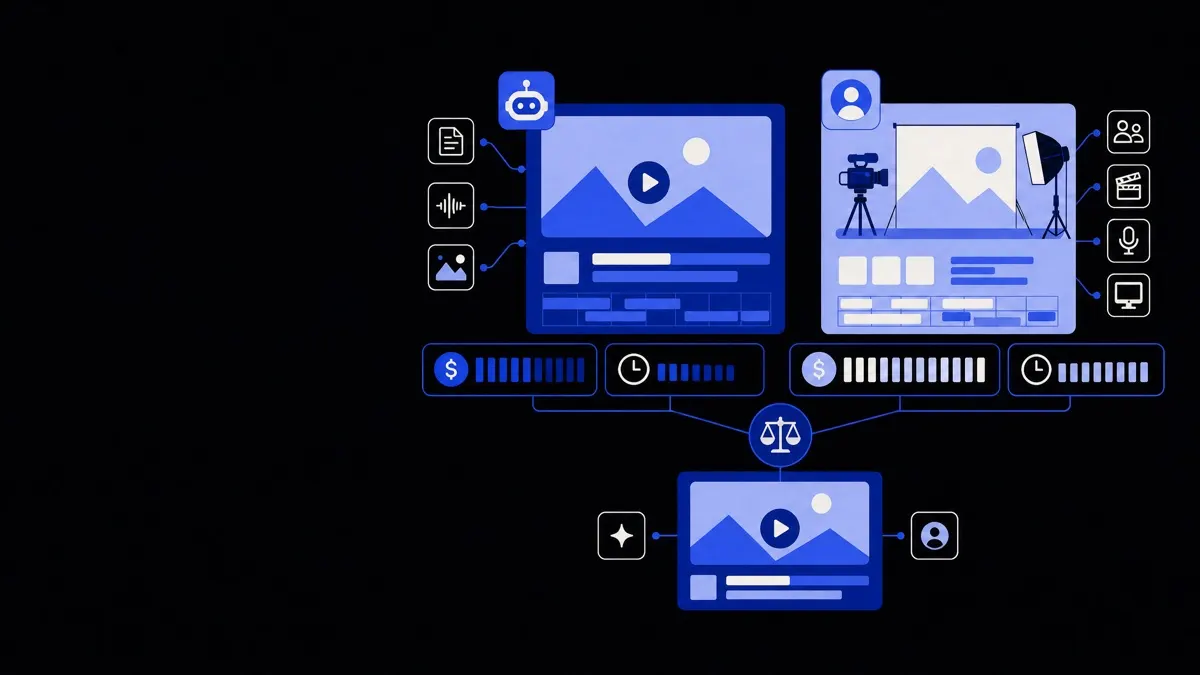
AI video production cost is usually lower and delivery is faster than traditional video production for explainers, social content, and training, because it removes live shoots, locations, and large crews. Traditional production still wins when you need cinematic quality, complex storytelling, or nuanced performances, so the most effective teams compare both options by use case, not by headline price alone.
What is AI video production and how is it different?
AI video production uses generative models and automation to create or assemble video without a full live-action shoot. It typically combines script prompts, stock or generated visuals, AI voices, and automated editing.
Traditional production relies on human crews, cameras, lighting, locations or studios, actors, and manual post-production.
Common AI video formats include:
- Scripted explainers and how‑to content
- Training modules and onboarding videos
- Product walk‑throughs and feature tours
- Short social clips and ads based on existing assets
- Localised or personalised video variants at scale
The key differences are:
- Input – prompts, text, and existing media vs cameras and crews
- Production flow – automated pipelines vs scheduled shoots and editing sessions
- Cost drivers – software usage and setup time vs day rates, equipment, and locations
- Constraints – model capabilities and templates vs physical logistics and human time
For creative teams, the question is less “AI or human?” and more “Which steps are worth automating, and which must stay handcrafted?” Solutions like creative agency automation start from that blended view.
AI video production cost vs traditional: where the money goes
To compare AI video production cost with traditional, it helps to break costs into components. The totals vary by region and scale, but the structure is consistent.
Typical AI video cost components
For AI-led production, you usually pay for:
- Platform or tool fees – subscription or usage (per minute of output, rendering time, or credits)
- Set-up and templates – designing base scenes, brand styling, and automation workflows
- Prompting and scripting time – creative direction, scriptwriting, and review
- Asset preparation – logos, brand elements, reference images, screen recordings
- Quality control – reviewing outputs, fixing glitches, and re-generating segments
- Integration and automation – connecting tools to your DAM, CRM, or project systems
Once the templates and pipelines are in place, marginal cost per extra video or variant is usually low, especially if your team uses broader business process automation across content workflows.
Typical traditional production cost components
For traditional shoots, you pay for:
- Pre-production – concept, script, storyboards, casting, scheduling, permits
- Crew – director, producer, camera, sound, lighting, makeup, art department
- Equipment – cameras, lenses, audio, lights, grip, monitoring
- Locations – studio hire, on‑location fees, travel, accommodation
- Talent – actors, presenters, extras, voice‑over artists
- Post-production – editing, color, sound design, motion graphics, revisions
- Deliverables – multiple aspect ratios, cutdowns, and localised versions
Many of these are fixed per shoot day, regardless of how many final assets you extract.
How this usually compares in practice
In practical terms:
- Single flagship brand film or TV commercial
- Traditional: much higher cost, but full craft control and impact
- AI-assisted: useful for animatics, mood films, or quick tests, not final hero assets (yet)
- Library of 50+ short product or training videos
- Traditional: very expensive to shoot and update; changes require reshoots
- AI-led: higher upfront setup for templates, then much lower marginal cost and easier updates
- Continuous social and lifecycle content
- Traditional: high ongoing creative and production overhead
- AI-led: much lower cost per piece, if you accept some visual and performance limits
Use traditional production for a few high‑impact hero pieces and AI workflows for everything that needs to be fast, frequent, and adaptable.
Speed comparison: how much faster is AI video really?
AI video production is faster primarily because it compresses or removes schedule-heavy steps: booking people, finding locations, and iterating on edits.
Where AI video gains time
AI typically speeds things up by:
- Removing shoot logistics – no travel, location scouting, or crew coordination
- Automating repetitive edits – resizing, subtitling, basic transitions, simple motion graphics
- Generating first drafts – scripts, storyboards, and test cuts are ready in hours, not weeks
- Parallelising production – multiple variants can be generated at once from the same template
- Speeding localisation – instant language changes via AI voice and subtitles, without re-recording
For recurring formats, once you have a working template and prompts, turning around a new video can drop to hours or even minutes.
Where traditional production is still time‑efficient
Traditional workflows are still more efficient when:
- Requirements are ambiguous and you need live experimentation on set
- You rely on performance – human presenters improvising, reacting, or interviewing
- Complex physical setups are needed – stunts, real environments, or detailed product shots
- Stakeholders are not aligned and need to “see it in camera” to approve
In these situations, extra time invested during the shoot can actually reduce late-stage rework.
Realistic timeline benchmarks
Every project differs, but for planning:
- AI-led templated series
- Initial design and automation setup – 1 to 3 weeks
- Each new video or variant – same day to 2 days
- Traditional mid‑range corporate or marketing film
- Pre‑production – 2 to 4 weeks
- Shoot – 1 to 3 days
- Post‑production – 1 to 3 weeks
When you spread setup time across dozens of outputs, AI approaches can cut average turnaround times dramatically.
When AI video is cheaper and faster – and when it is not
AI video is not automatically cheaper or faster in every case. The economics depend on scale, complexity, and your tolerance for artefacts and sameness.
Best-fit use cases for AI‑led production
AI‑first approaches tend to win on cost and speed when you are producing:
- High-volume training and compliance content
- Product tutorials and feature explainers
- Onboarding sequences and internal comms
- Short lifecycle content – email or in‑app video snippets
- Localised or personalised variants – many languages or audience segments
In these cases:
- Visual repetition is acceptable or even desirable.
- Scripts follow consistent patterns.
- Updates are frequent and hard to justify with repeated shoots.
Situations where traditional still earns its cost
Traditional production usually remains the better choice when:
- Brand moments are high stakes – launches, hero campaigns, investor pieces
- You need deep emotional storytelling with nuanced performances
- Complex choreography or physicality is central to the message
- You depend on realism in human faces, hands, or specific environments
- You need full IP clarity around faces, sets, and performances
Here, the cost of an underwhelming or uncanny video can exceed any production savings.
Adding AI to traditional workflows
You do not have to choose one or the other. Many teams gain leverage by:
- Using AI for script drafting, mood films, and previsualisation to speed pre‑production.
- Automating captioning, aspect ratios, and simple cutdowns from a hero edit.
- Generating supporting content (explainers, FAQs, training) around one traditional hero film.
This hybrid model focuses human effort where it matters most and uses AI to expand the content footprint.
Cost planning: how to compare AI vs traditional for your project
To compare options fairly, you need a simple, repeatable way to scope work rather than relying on tool marketing or day rates alone.
Step 1: Define volume and lifespan
Clarify:
- How many distinct videos do you need in the next 6–12 months?
- How often will they need updates?
- How many languages, markets, or segments must you support?
High volume, frequent change, and broad localisation usually favour AI‑heavy workflows.
Step 2: Decide acceptable quality and risk
For each content type, decide:
- Minimum acceptable production value.
- Tolerance for occasional AI artefacts or sameness.
- Legal and brand‑safety requirements (e.g. faces, voice cloning, stock usage).
Hero pieces should be held to higher standards than routine explainer content.
Step 3: Break down the workflow
List the steps from idea to delivery, then mark each one as:
- Must be human‑led
- Can be AI‑assisted
- Can be fully automated
For example:
- Strategy and key messaging – human‑led
- Script drafting – AI‑assisted
- Storyboards or mood references – AI‑assisted
- Scene assembly and editing – AI‑assisted or automated
- Voice and subtitles – AI‑assisted or automated
- Final approval and sign‑off – human‑led
This lets you design a mixed pipeline rather than an all‑or‑nothing approach. An AI consulting engagement can help formalise this mapping across your content portfolio.
Step 4: Estimate cost per minute and per asset
For each approach (AI‑heavy, traditional, hybrid), estimate:
- One‑off setup costs (templates, automations, brand libraries)
- Ongoing variable costs per minute of final video
- Team time for review and changes
- Tool or licence costs
Then calculate:
- Cost per distinct video
- Cost per variant (language, segment, or platform format)
- Cost to update content over a year
Even rough estimates will usually show a clear pattern: AI is cost‑efficient for volume and change, while traditional earns its keep on a smaller number of high‑impact pieces.
How agencies can operationalise AI video production
For creative and marketing agencies, the challenge is not just buying AI tools, but integrating them into stable, repeatable processes.
Standardise templates and brand systems
Create modular building blocks:
- Brand‑approved visual templates and motion systems
- Script frameworks for recurring formats (product explainers, updates, FAQs)
- Voice and tone guidelines for AI voices and on‑screen text
- File naming and asset management conventions
This lets you scale AI‑generated content without losing brand control.
Automate the boring transitions
Connect your tools so that:
- New briefs in your project system trigger AI script drafts.
- Approved scripts automatically populate AI video templates.
- Final outputs sync back to your asset library, CRM, or LMS.
Using workflow automation and other integration services, you can remove a lot of copy‑paste friction and status chasing.
Build a clear review layer
AI does not remove the need for human review. It changes where it happens:
- Define review gates (script, first cut, final).
- Decide who approves what (creative, legal, brand, stakeholders).
- Standardise feedback formats so revisions can be applied quickly or automated.
Agency teams that treat this as a process design problem rather than a tool problem usually see the biggest gains. Solutions geared toward creative agency automation can help align production, account management, and operations around these new flows.
By comparing AI video production cost and speed with traditional workflows at the level of specific use cases and steps, you can design a production mix that delivers faster, stays on budget, and still reserves human craft for the work where it has the greatest impact.