
Claude vs ChatGPT for business: how to choose and when to use each
Comparing Claude vs ChatGPT for business is less about which model is “better” and more about which fits a specific task, risk profile, and budget. This guide walks through how each performs on real business use cases, where the costs actually land, and when it makes sense to run both side by side.
On this page
Claude vs ChatGPT for business is a choice between two strong general AI platforms, each with different strengths, pricing models, and workflows that suit different kinds of teams. In practice, most organisations get the best results by assigning Claude to tasks that need careful reasoning and document handling, and ChatGPT to tasks that benefit from broad capabilities, ecosystem tools, and flexible deployment, then standardising how each is used inside their processes.
Claude vs ChatGPT for business: the short version
For business use, both Claude and ChatGPT are capable foundation models that can summarise, draft, code, and reason across many domains. The decision comes down to how you balance depth of reasoning, content handling, control, and cost.
Very broadly:
- Claude (Anthropic) tends to be stronger for:
- Careful reasoning and debate-style analysis.
- Long or complex documents like contracts, RFPs, manuals, and research.
- Teams that value conservative, risk-aware behaviour and transparent “thinking out loud”.
- ChatGPT (OpenAI) tends to be stronger for:
- Broad general capability across text, images, and code.
- Rich ecosystem support (plugins, assistants, more third‑party tools).
- Flexible deployment through APIs and integrations at varying price points.
From a cost and control perspective, you can:
- Use one model as your default, with the other as a “specialist” for certain workflows.
- Route tasks dynamically based on complexity, sensitivity, and latency–cost trade‑offs.
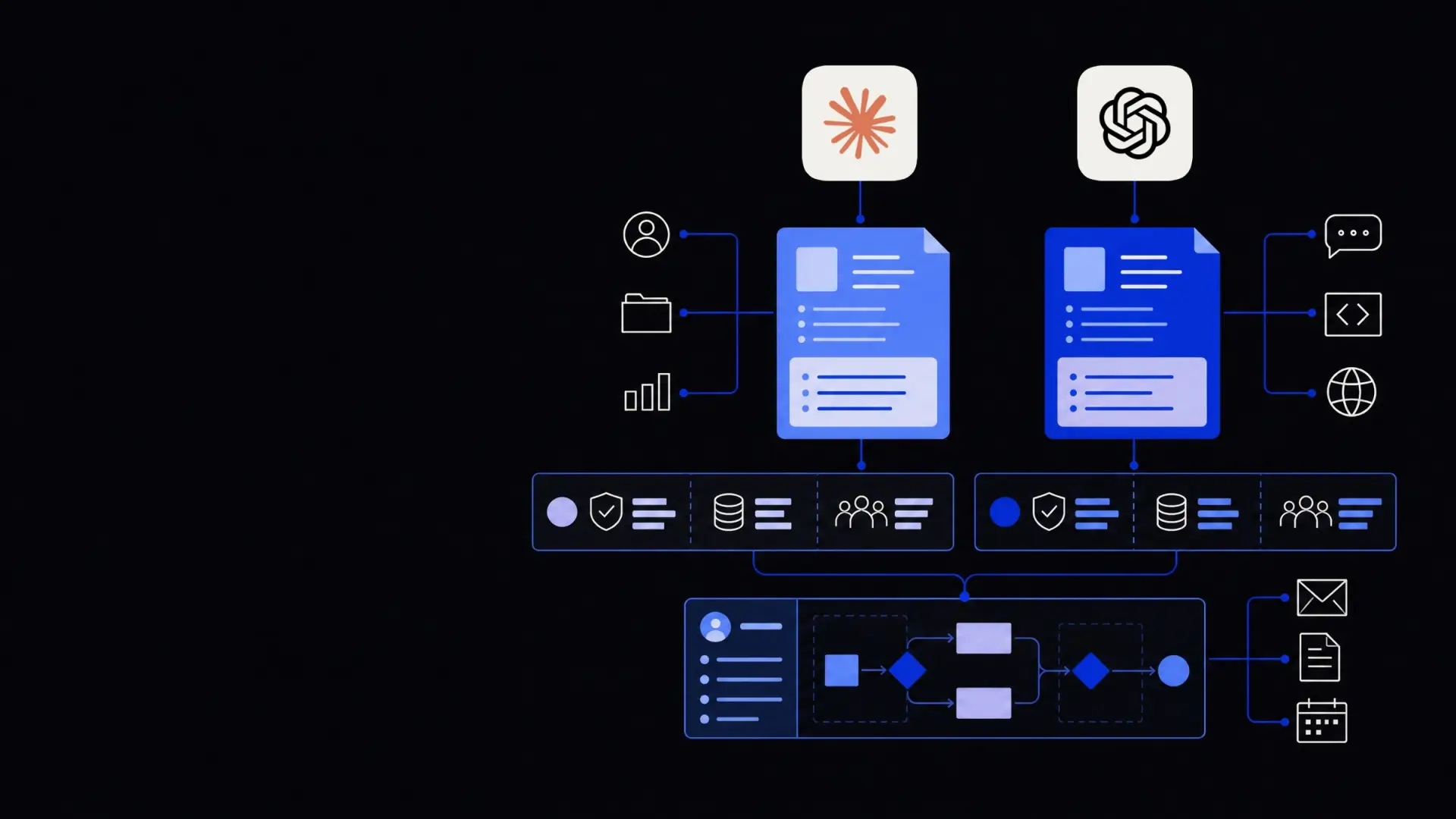
- Wrap both behind internal tools or automations, such as business operations automation, so staff do not need to choose model-by-model.
Treat Claude and ChatGPT as different specialists in the same team, and route each business task to whichever model’s strengths match the risk, complexity, and cost profile.
How both tools work in a business context
Before comparing them, it helps to define how these systems typically show up in a company.
An AI model like Claude or ChatGPT is a general‑purpose language model. It predicts text (and sometimes code or images) by learning patterns from large datasets, then following your instructions, tools, and policies.
In business, these models usually appear in three ways:
- As a direct assistant
Staff use a chat interface for:
- Drafting emails, reports, and proposals.
- Summarising calls, documents, and threads.
- Research and brainstorming.
- Light analysis or data interpretation.
- Embedded in tools you already use
Vendors integrate models into CRMs, helpdesk tools, document systems, and analytics products to support tasks like:
- Writing support responses.
- Drafting sales outreach.
- Auto-tagging, routing, or summarising messages and tickets.
- As part of custom automations and agents
Technical teams or partners use the APIs to build:
- Workflow automations that call the model as a step.
- Custom agents that act on your systems.
- Domain‑specific copilots for particular teams.
If you are building custom workflows, services like AI consulting and strategy or custom AI development often help you design which model to use where, and how to integrate it safely.
Key differences: strengths, behaviour, and control
Reasoning and long‑form documents
Claude is designed around “constitutional AI”, which aims to make its reasoning more transparent and controllable. In many business contexts this shows up as:
- More explicit explanation of why it reached a conclusion.
- Strong performance when comparing arguments and trade‑offs.
- Reliable handling of long contracts, policies, and PDFs when you need detailed summaries, redlining suggestions, or policy checks.
ChatGPT, especially in its latest versions, is also strong at reasoning, but:
- It sometimes optimises more for fluency and brevity than argument structure.
- It shines in iterative back‑and‑forth, where you refine the result quickly.
- It lets you mix modalities more readily (text plus images, and often code) in a single flow.
If your workflows depend heavily on analysing dense documents—policies, SLAs, regulatory guidance—Claude often feels like a good default. For broader “office assistant” use, ChatGPT is usually enough and may integrate more easily with existing tools.
Tone, safety, and risk tolerance
For regulated or brand‑sensitive environments, the way models handle risky content matters.
- Claude tends to:
- Refuse more categories of risky or ambiguous requests.
- Provide more cautious wording and stronger hedging where facts are uncertain.
- Be easier to steer toward conservative, policy‑aligned responses.
- ChatGPT typically:
- Is still safety‑conscious, but may comply more readily with borderline requests if not configured carefully.
- Can be tuned via tools like system prompts, policies, and content filters to align with your acceptable‑use rules.
If your risk tolerance is low (for example, in finance, health, or legal‑adjacent work), giving Claude first pass on sensitive content can reduce governance overhead. For creative marketing, ideation, and internal‑only tasks, ChatGPT’s flexibility is usually an advantage.
Ecosystem and integrations
The surrounding ecosystem often matters as much as the core model.
- ChatGPT / OpenAI ecosystem:
- Widely supported in SaaS tools, automation platforms, and engineering libraries.
- Richer support for assistants, function calling, and tool use patterns in many frameworks.
- Easier to find pre‑built integrations for CRMs, ticketing systems, and data platforms.
- Claude / Anthropic ecosystem:
- Growing support across tools and infrastructure providers.
- Strong focus on enterprise controls, audit, and policy‑driven access in many integrations.
- Often chosen as the “safety‑first” option where data sensitivity is a priority.
When you are automating multi‑step workflows—say in sales and marketing automation or shared operations tools—the breadth of OpenAI integrations can reduce build time. When you prioritise strict governance and clear review processes, Claude’s safety focus can be more comfortable.
Cost: how pricing tends to play out in practice
Exact prices change often, but some stable patterns matter for planning.
Types of costs to consider
When comparing Claude vs ChatGPT for business, think in three layers:
- Usage cost
This is usually priced per 1,000 tokens of input and output (tokens are fragments of words). Large documents, long chats, and heavy automations increase token usage quickly.
- Platform or seat cost
Business plans for direct assistant use are often billed per user per month, sometimes with included usage and higher limits.
- Integration and maintenance cost
Engineering time, automation platform fees, monitoring, and compliance overhead often dominate long‑term cost, especially for custom agents.
Where each can be cheaper or more expensive
Because both Claude and ChatGPT offer multiple models and tiers, neither is always cheaper. In broad terms:
- Claude can be cost‑effective for:
- High‑value workflows where quality and reduced error risk justify slightly higher per‑call pricing.
- Long‑context document tasks, if a single accurate pass replaces several shorter iterations or human review cycles.
- ChatGPT can be cost‑effective for:
- High‑volume, low‑risk tasks where you can use smaller or cheaper models.
- Prototyping and experimentation, given the broad ecosystem and many examples.
For budgeting, you can:
- Start with a target: cost per ticket, per opportunity, or per document processed.
- Run a short trial with both models on the same workflow.
- Measure:
- Tokens per task.
- Time saved.
- Error or rework rates.
- Choose the model that gives you the lowest cost per acceptable outcome, not the lowest unit price.
If you need help sizing projects, tools like a ROI calculator can give rough benchmarks before you commit to one platform or the other.
When to use Claude, ChatGPT, or both
Use Claude as your default when:
- Your main use cases involve:
- Contract review, policy analysis, or regulatory interpretation.
- Long, structured reports that need careful argumentation.
- Internal knowledge management over large document sets.
- Your risk tolerance is low:
- You want models that naturally default to caution and explicit reasoning.
- You need outputs that are easier to audit and explain.
- You expect fewer but higher‑value interactions:
- Legal, finance, or strategy teams using the model as an in‑depth analyst.
- Agents that make relatively few decisions but have a big impact each time.
Example workflows where Claude often fits well:
- A compliance analyst checking new regulations against your internal policies.
- A procurement team comparing multi‑vendor proposals against a requirements matrix.
- A customer‑facing knowledge agent that needs to reason carefully over long manuals.
Use ChatGPT as your default when:
- Your main use cases are broad and frequent:
- Drafting and editing everyday communication.
- Brainstorming marketing ideas and content variants.
- Supporting developers with code explanations and scripts.
- You rely heavily on integrations:
- CRM, helpdesk, and analytics tools that already support OpenAI models.
- Automation platforms that make it easy to wire ChatGPT into workflows.
- You want multi‑modal or tool‑heavy workflows:
- Combining text with images or code.
- Using function calls and tools to interact with internal APIs and databases.
Example workflows where ChatGPT often fits well:
- Support triage and reply suggestions across a high volume of tickets.
- Sales sequence drafting and personalised outreach across large lead lists.
- Internal assistants embedded in existing tools like spreadsheets, CRMs, or dashboards.
When it makes sense to use both together
Many organisations get the best of both by routing tasks based on attributes:
- By task type
- Send long‑form analysis, complex documents, and sensitive decisions to Claude.
- Send short drafting, brainstorming, and high‑volume routine tasks to ChatGPT.
- By risk level
- Use Claude for customer‑visible or compliance‑affected outputs.
- Use ChatGPT for internal drafts and low‑risk, iterative work.
- By performance profile
- Benchmark a sample of your real tasks on both and assign:
- “Model A” as default.
- “Model B” as escalated or “second opinion” for unclear cases.
- Benchmark a sample of your real tasks on both and assign:
Or you can wrap both behind a single internal tool or automation. In those setups, staff or agents send a request into your system, which chooses the right model using simple rules, such as document length, sensitivity tags, or department.
Practical steps to decide for your organisation
You do not need a full data science team to choose sensibly between Claude and ChatGPT for business. A short, structured evaluation is usually enough.
- List 3–5 core use cases
Keep them focused and concrete. Examples:
- Triage and respond to support tickets.
- Summarise contracts and highlight risk.
- Draft proposals from templates and notes.
- Assist HR with policy Q&A.
- Define “good enough” for each use case
For every use case, decide:
- Accuracy threshold (e.g., “no hallucinated policy references”).
- Tone and brand fit requirements.
- Maximum acceptable per‑task cost.
- Acceptable response time.
- Prototype each use case on both models
Use:
- Direct chat interfaces for human‑in‑the‑loop tasks.
- Simple API scripts or low‑code platforms for automations.
- A small but realistic sample of your own data.
- Measure outcomes, not impressions
Compare Claude vs ChatGPT by:
- Error rate and severity.
- Time saved per user or per task.
- Editing or rework needed.
- Actual cost per task (tokens × price).
- Choose a default and an exception policy
After 1–2 weeks of trials:
- Pick one model as default for each use case.
- Document when to switch (e.g., “use Claude for contracts longer than 20 pages”).
- Capture simple prompts and guidelines so staff can be consistent.
- Integrate with your existing systems
Once defaults are clear:
- Add the chosen model into your CRMs, helpdesks, or document tools.
- For more complex needs, use services like business process automation or AI agent development to build internal tools that hide model complexity from end users.
- Review quarterly
Models, pricing, and features change fast. Every few months:
- Re‑test a small sample of tasks.
- Check if another model version or provider now fits your trade‑offs better.
- Adjust routing rules and prompts rather than rebuilding from scratch.
By framing Claude and ChatGPT as interchangeable components behind your processes, rather than permanent strategic bets, you keep the freedom to rebalance quality, cost, and risk as the technology and your needs evolve.
Where Framworq can help
Want this mapped for your business?
We’ll help you find the highest-leverage workflows to automate first — and build them end to end. No jargon, no lock-in.
Book a free automation audit