
Adding AI voiceovers to your content with ElevenLabs
ElevenLabs voiceover tools let you turn scripts into natural-sounding narration, speed up content production, and keep your brand audio consistent across channels.
On this page
- What is an ElevenLabs voiceover and when should you use it?
- Setting up your ElevenLabs voiceover workflow
- How to create an ElevenLabs voiceover step by step
- ElevenLabs voiceover best practices for content teams
- Scaling ElevenLabs voiceovers across channels
- Risks, limits, and governance for AI voiceovers
ElevenLabs voiceover capabilities let you upload or paste a script, pick a voice, and generate natural-sounding narration you can drop straight into your videos, podcasts, or training content. For most teams, this replaces hours of recording and editing with a repeatable workflow that scales across campaigns while keeping tone and pronunciation consistent.
What is an ElevenLabs voiceover and when should you use it?
An ElevenLabs voiceover is AI-generated speech created from text using ElevenLabs’ text-to-speech engine and voice library. You provide the script, choose a voice, and download an audio file ready to use in your editing software or publishing platform.
Voiceovers from ElevenLabs work well when you need:
- Fast turnaround for explainers, reels, and ads
- Multiple language versions of a single script
- Consistent brand voice across many assets
- Low-background-noise narration for e-learning or onboarding
- Quick variants for A/B testing different hooks or tones
They are less suitable when you:
- Need improvisation or heavy emotional nuance (e.g., dramatic fiction)
- Depend on union voice talent or specific contractual requirements
- Work in highly regulated sectors with strict disclosure rules
Use ElevenLabs voiceovers where speed, consistency, and variation matter more than bespoke studio performance.
Setting up your ElevenLabs voiceover workflow
Before you start generating audio, decide how voiceovers will fit into your content production pipeline and who owns which parts.
Define your core use cases
List two or three use cases where AI narration will make the biggest difference, for example:
- Short-form social videos based on existing blog posts
- Product walkthroughs and feature announcements
- Internal training and onboarding modules
- Podcast intros, outros, and segment bumpers
For creative agencies, this is often part of a broader creative agency automation approach, where voiceovers become one component in a larger content assembly line.
Choose where scripts come from
Clarify how scripts are created, revised, and approved:
- Who drafts the script (strategist, copywriter, or subject-matter expert)?
- Who signs off on messaging and compliance?
- At what point do you send the final text into ElevenLabs?
Locking this down avoids re-recording audio every time someone edits a sentence.
Decide your tool stack and ownership
Agree which tools you will use alongside ElevenLabs:
- Video editing: Premiere Pro, Final Cut, DaVinci Resolve, or a browser-based editor
- Audio cleanup: your NLE’s audio tools, or a DAW if needed
- Script management: Google Docs, Notion, or your project management tool
Assign ownership:
- Script owner: responsible for clarity and timing cues
- Voice owner: manages voice selection, pronunciation rules, and style presets
- Editor: aligns audio with visuals and handles final mix
How to create an ElevenLabs voiceover step by step
Most teams follow a repeatable, five-step process to produce reliable AI narration.
1. Prepare a voiceover-ready script
Write specifically for audio:
- Use short sentences with clear structure.
- Add line breaks where you want natural pauses.
- Spell out numbers and dates as you want them spoken: “March twenty-fifth” vs “March twenty-five”.
- Add pronunciation notes for names, acronyms, or technical terms.
If you are converting existing content (like a blog or case study), trim out:
- References to on-screen elements you won’t show
- Long lists that are hard to follow in audio
- Dense legal or technical text that needs visual support
2. Select or create your voice
ElevenLabs offers two main approaches:
- Library voices: Pre-built voices with different genders, accents, and tones.
- Custom voices: Voices cloned from reference audio you upload, subject to their policies.
For brand consistency, treat voice selection like a design system:
- Assign a “primary brand voice” for most content.
- Define “campaign voices” for distinct audiences or regions.
- Keep a log of which projects use which voices so you can match them later.
If you run a content-heavy studio or agency, consider documenting this in your internal brand kit or as part of a broader AI consulting and governance approach.
3. Set style, pacing, and emotion
ElevenLabs lets you adjust delivery parameters that affect how natural the audio sounds:
- Stability / variation: How much the voice “moves” emotionally. Higher stability is more consistent; lower adds variety and expressive shifts.
- Style or emotion controls (where available): Choose between neutral, promotional, conversational, or other presets if the model supports them.
- Pacing: You may not see a “speed” slider, but you can influence pace by script formatting:
- Shorter sentences and more punctuation = slower, more deliberate reading.
- Fewer commas and longer phrases = faster delivery.
Create a couple of reference presets for:
- Fast, punchy social content
- Calm, slower training or B2B narration
- Warm, conversational podcast-style content
4. Generate and refine the audio
Once you generate the first pass:
- Listen end to end without distractions. Note mispronunciations, awkward pauses, or tonal mismatches.
- Fix issues in the script first. Adjust punctuation, add line breaks, or annotate tricky words.
- Use phonetic hints if needed. Some platforms accept phonetic spellings or allow you to “teach” a pronunciation.
- Regenerate only the problematic segments. This saves time and preserves good takes.
Repeat until you have a version that:
- Sounds natural to a listener who has never seen the script
- Matches the energy you want for the visuals
- Is clear at normal playback speeds (1× to 1.25×)
5. Export and integrate into your content
Export the final voiceover in an editor-friendly format, usually:
- WAV for highest quality when you plan to mix and master
- MP3 when you need lightweight files for quick prototypes or internal reviews
Then:
- Drop the audio into your video timeline and align with cuts and motion.
- Adjust levels so narration sits clearly above music and sound effects.
- Add subtitles or captions from the same script to keep everything in sync.
ElevenLabs voiceover best practices for content teams
With the basics in place, a few habits can make AI narration an efficient, low-friction part of your workflow.
Separate concept, script, and audio steps
Trying to ideate, script, and generate voiceover in one sitting often leads to rework. Instead:
- Validate the concept and outline first.
- Finalize the script with stakeholders.
- Generate voiceover from an approved version.
This is especially important in regulated or complex industries like finance, healthcare, and corporate learning, where sign-off is critical and re-recording is costly.
Keep a pronunciation and style dictionary
Maintain a simple reference document that covers:
- Brand name pronunciation and emphasis
- Product names, feature names, and acronyms
- Industry terms and jargon
- Preferred greetings, sign-offs, and disclaimers
Over time, this becomes a reusable asset that speeds up every new voiceover project and keeps your AI output consistent across campaigns.
Version your audio like any other asset
Treat voiceover files as part of your source-of-truth:
- Use clear filenames with version numbers and dates.
- Store scripts and final audio in the same folder or project card.
- Note which ElevenLabs voice and settings you used.
This makes it easy to refresh a line or regenerate a segment when copy changes, rather than starting from scratch.
Scaling ElevenLabs voiceovers across channels
Once you have a working process for one video, you can scale AI voiceovers across formats and languages.
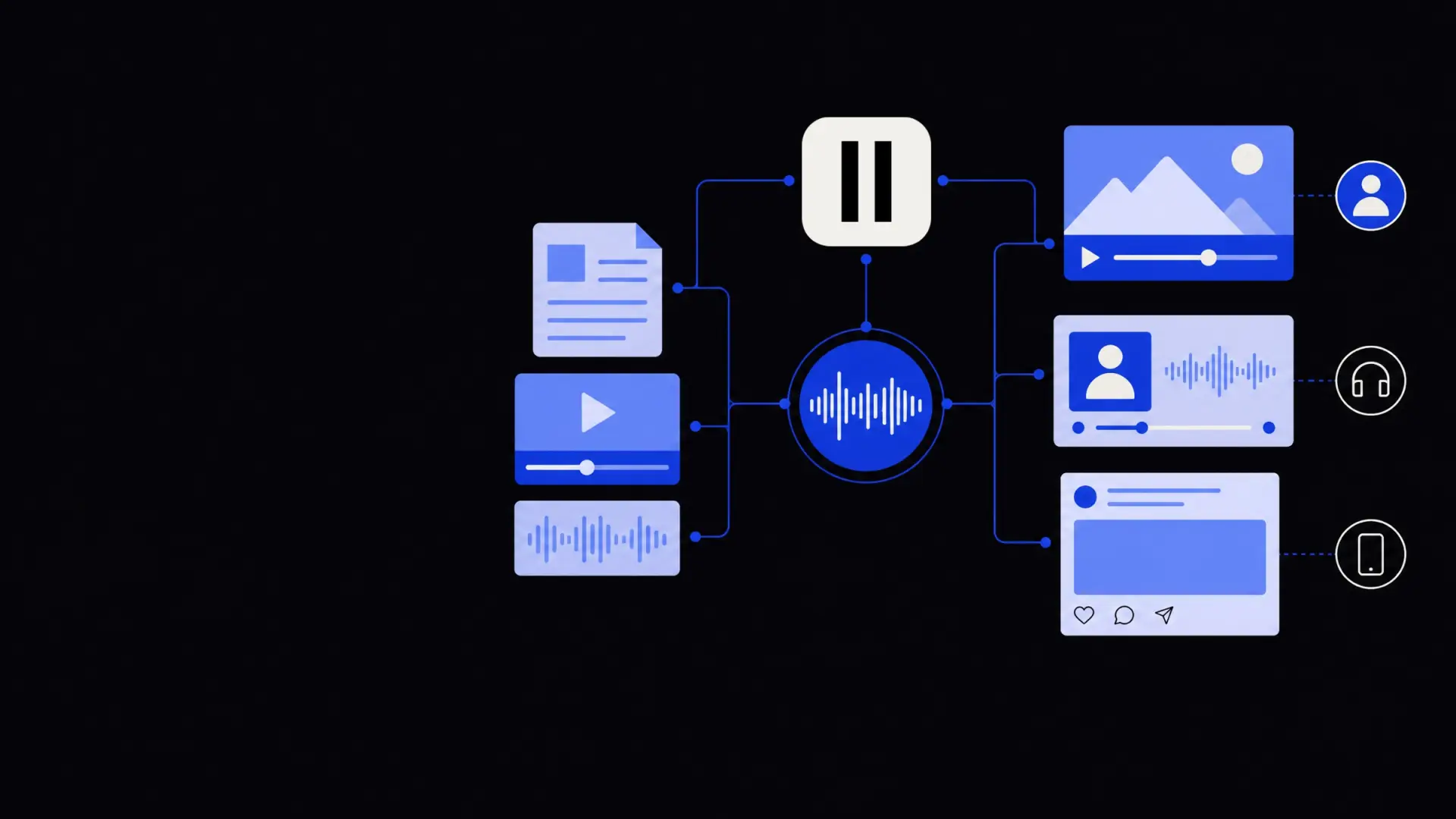
Repurpose one script into many assets
From a single master script, you can create:
- A full-length YouTube or website explainer
- 15–30 second cutdowns for paid social
- Audio-only snippets for podcast ads
- Short clips for LinkedIn, TikTok, and Instagram Reels
Each variant can reuse the same ElevenLabs voice but with adjusted pacing, emphasis, or intro-hooks tailored to the platform.
If your production volume is high, consider connecting ElevenLabs to a broader sales and marketing automation setup so new campaigns can trigger content and voiceover generation from templates.
Localise content with multi-language voiceovers
ElevenLabs supports multiple languages and accents, which helps teams localise without booking separate voice talent in every region.
To do this responsibly:
- Use native-language reviewers to adapt scripts; do not rely solely on machine translation.
- Adjust cultural references, idioms, and examples so they make sense locally.
- Choose voices that fit audience expectations for formality and accent.
Run short pilot tests in each new language to check if listeners find the audio natural and clear.
Automate repetitive voiceover tasks
When you produce recurring formats — weekly show intros, product update videos, onboarding modules — automation can remove manual steps.
With the right setup, you can:
- Trigger a voiceover generation when a new script is approved in your CMS or project system.
- Auto-generate variants based on rules (e.g., “create a 15-second and 30-second version from this script”).
- Send final audio directly into your editing tool or cloud storage via API.
Teams with technical support or partners often use AI agent development or workflow automation services to connect ElevenLabs with their existing content stack.
Risks, limits, and governance for AI voiceovers
AI voiceovers are powerful, but they also raise questions around ethics, consent, and disclosure that you should address early.
Consent and voice cloning
If you create custom voices based on real people:
- Obtain explicit, written consent that covers training, usage, and revocation rights.
- Clarify whether the voice can be used after someone leaves your company or changes role.
- Store consent agreements alongside your voice documentation.
Avoid cloning external talent or public figures without clear legal agreements; this can create both legal and reputational risk.
Disclosure and audience expectations
Decide your stance on disclosure:
- For internal training, a simple note in documentation may be enough.
- For public-facing content, consider a short line in credits or descriptions stating that AI narration was used.
Being transparent usually builds more trust than trying to hide AI involvement.
Quality and fit for purpose
AI narration is not a full replacement for human voice actors in every context. Use human talent when:
- Emotional performance is central to the experience.
- Brand strategy depends heavily on a recognisable spokesperson.
- Compliance or union rules restrict AI usage.
For many day-to-day content needs — especially explanatory, instructional, or announcer-style work — ElevenLabs voiceovers provide a practical middle ground between speed and quality.
Thoughtful use of ElevenLabs voiceover tools can shift narration from a bottleneck into a flexible, repeatable part of your content production system. By treating scripts, voices, and settings as structured assets — not one-off experiments — you can scale audio across formats, channels, and languages while staying in control of quality, cost, and brand tone.
Where Framworq can help
Want this mapped for your business?
We’ll help you find the highest-leverage workflows to automate first — and build them end to end. No jargon, no lock-in.
Book a free automation audit