
Vapi appointment booking and inbound calls for always-on scheduling
How to design and implement Vapi-based AI agents that handle inbound calls and appointment booking reliably, without breaking your existing workflows.
On this page
Vapi appointment booking for inbound calls means using AI voice agents to answer your phone, collect caller details, check availability in your calendar or CRM, and then confirm, reschedule, or cancel bookings without a human in the loop. Done well, it can cut missed calls, standardise data capture, and give customers a 24/7 way to secure time with your team while still escalating tricky cases to staff.
What is Vapi appointment booking, in practice?
Vapi is an AI voice platform that lets you build phone-based agents which can understand callers, speak naturally, and call external APIs. In the context of appointment booking, a Vapi agent becomes your first-line receptionist that can handle most scheduling tasks by itself.
A typical appointment-booking agent built on Vapi can:
- Answer inbound calls instantly during and outside business hours.
- Capture caller identity and intent (new booking, reschedule, cancel, check time).
- Look up and propose slots in a calendar system like Google Calendar, Outlook, or a CRM.
- Create, update, or cancel appointments via API calls.
- Send SMS or email confirmations through your existing tools.
- Hand off calls to humans when rules say it should not book (e.g. high-value clients, edge cases).
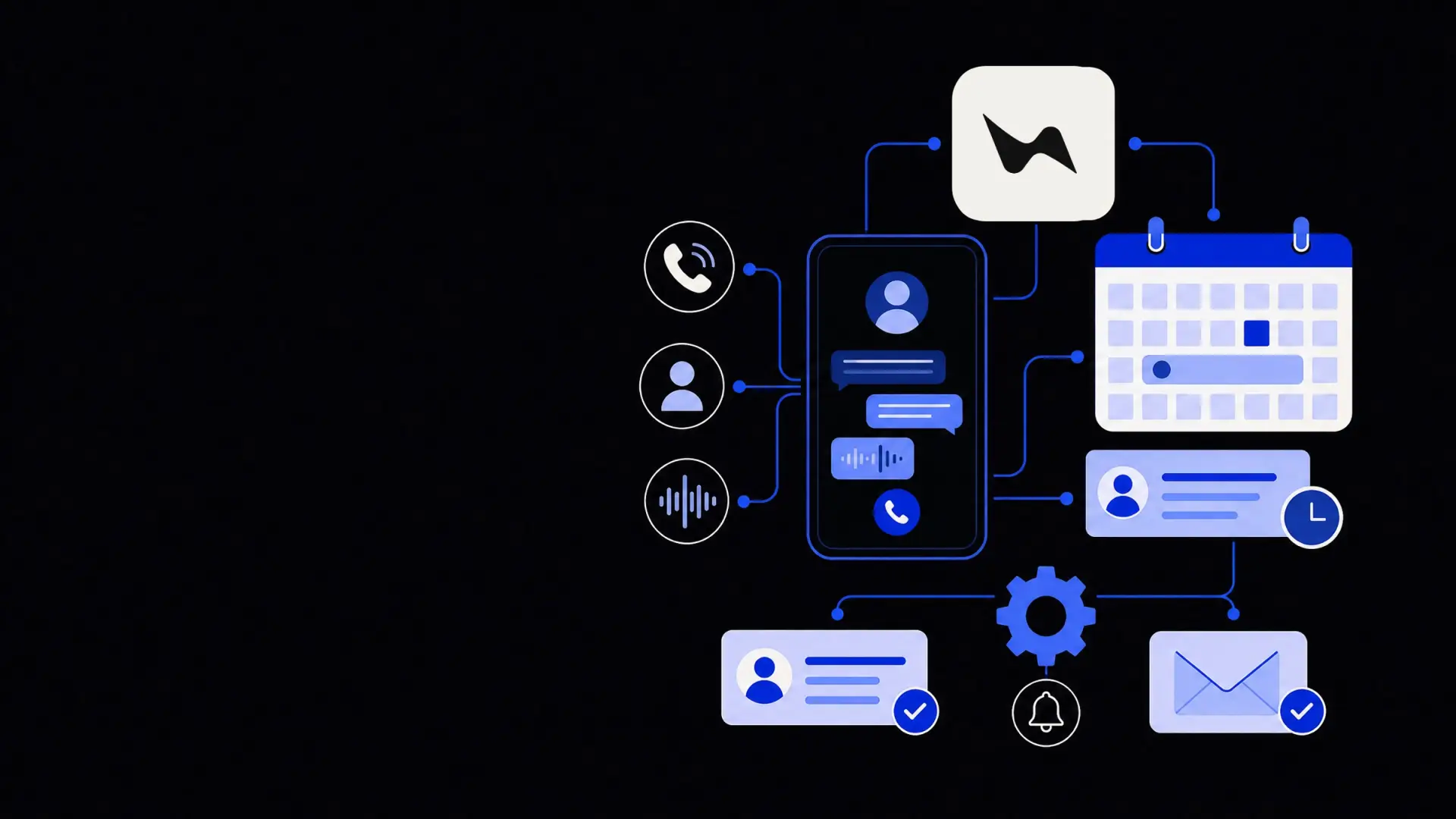
From a systems perspective, the agent is a routing and orchestration layer between your telephony, your calendars or practice-management tools, and your notification channels.
Treat your Vapi appointment bot as a controlled interface to your calendar, not as the calendar itself.
When does Vapi appointment booking make sense?
Not every organisation should push all bookings through an AI phone agent. The value depends on call volume, scheduling complexity, and tolerance for automation.
Situations where it works well
Vapi-based booking tends to work best when:
- Call volume is high and repetitive.
Front desks and call centres that answer many “I want to book a slot” calls benefit the most.
- Appointment rules are clear.
For example: 30‑minute slots, weekdays only, fixed lead times, clear service types.
- Tools are API-accessible.
Your calendar, CRM, or booking tool should expose APIs or webhooks, or allow a connector via an API integration service.
- No-show management is important.
Automated reminders and easy rescheduling over the phone reduce missed appointments.
- You already have online booking, but phones lag behind.
The AI agent becomes the voice equivalent of your web scheduler.
Common verticals that see value:
- Healthcare clinics and therapy practices.
- Professional services (law, accounting, consulting).
- Real estate and property management.
- Automotive service and repair.
- Home services and field teams.
When to be cautious
You should move slower, or keep a hybrid model, when:
- Appointments require deep human judgment.
For example, triage for urgent medical issues that cannot follow a script.
- High legal or compliance risk.
Mis-booking could breach regulations, SLAs, or safety rules.
- Internal processes are inconsistent.
If staff “just know the rules” but nothing is documented, the AI will be brittle.
In these cases, Vapi can still help by handling basic intake, FAQs, and routing, while humans make the final scheduling decisions. A blended approach often aligns best with broader AI chatbots and voice-agent strategies.
How Vapi handles inbound calls for appointment booking
To design a dependable inbound booking flow, you need to think through the call journey step by step, then configure the agent’s behaviour and integrations around that journey.
1. Call answering and initial routing
The first decision is how calls reach Vapi:
- Direct number: You publish a Vapi-powered phone number as your main or “appointments-only” line.
- Forwarded number: Your existing line forwards to Vapi when busy, after-hours, or via menu selection (e.g. “Press 2 to book or reschedule”).
At answer time, the agent should:
- Greet the caller and state clearly what it can do.
- Detect if the caller is new or returning.
- Classify the intent: book, reschedule, cancel, or ask a question.
This early classification keeps calls efficient and allows different logic per intent.
2. Caller identification and data collection
The agent needs enough data to create a meaningful booking record. Design a minimal but complete intake:
- Name and callback number.
- Reason for appointment or service type.
- Preferred location (if you have several sites).
- Any key constraints (e.g. “only mornings,” “in person,” “video call”).
Trade-off: more questions mean better data, but longer calls. For repeat callers, you can pre-fill much of this by looking them up in your CRM based on phone number, then confirming instead of re-asking.
3. Availability lookup and rules
The core of Vapi appointment booking is the availability check. This typically involves:
- Pulling free slots from:
- A calendar (Google/Outlook).
- A booking system.
- A vertical SaaS platform (e.g. for healthcare or salons).
- Applying custom rules, such as:
- Minimum notice period.
- Maximum booking window into the future.
- Service-specific durations.
- Provider preferences or exclusions.
- Breaks, buffers, and overbooking rules.
Implementing these rules is usually done in a separate logic layer or via a custom AI agent integration, which the Vapi agent calls over API. Vapi handles the conversation; your backend decides what is allowed.
4. Proposing and confirming times
Once the backend returns valid slots, the agent:
- Proposes one or two specific times.
- Handles acceptance or rejection.
- Offers alternatives until a stopping rule is reached.
Good practice is to limit the number of back-and-forth proposals and fall back to human handoff if the caller cannot settle on a time.
When a slot is chosen, the backend:
- Creates the appointment in the calendar or booking system.
- Returns the confirmed details to Vapi for verbal recap.
The agent should then:
- Read back the time, date, and location in clear language.
- Confirm understanding: “Is that correct?”
- Offer to send an SMS or email confirmation.
5. Reschedules, cancellations, and status checks
For inbound calls, modification flows are as important as new bookings.
A robust agent should be able to:
- Look up an existing appointment using:
- Phone number plus date range.
- Booking reference if available.
- Read back the found booking and ask what to change.
- Apply the same availability rules for rescheduling.
- Enforce cancellation rules (e.g. no cancellation within 24 hours), and hand off to a human if callers push back.
These flows use the same APIs as new bookings but must be more conservative in error handling, since they modify existing records.
6. Human handoff and escalation
No matter how strong your agent is, you need a clear plan for handoffs. Typical triggers:
- Caller repeatedly says they want a human.
- The agent detects frustration or confusion.
- High-value account identified from the phone number.
- Rule conflict or system error (e.g. calendar API timeout).
You can handle escalation by:
- Warm-transferring the call to an internal number.
- Creating a time-stamped ticket with call transcript for a callback.
- Offering voicemail when no one is available, then attaching the transcript.
This ensures the AI never becomes a dead end for callers.
Technical building blocks for Vapi appointment booking
From an engineering standpoint, building a Vapi-based appointment agent means connecting four layers: telephony, conversation, business logic, and data sources.
1. Telephony and Vapi configuration
Key telephony decisions:
- Phone numbers (local vs toll-free; per-region numbers).
- Hours of operation and routing rules.
- Language support and voice selection.
In Vapi, you configure:
- The prompt that defines the agent’s role and tone.
- The allowed actions (e.g. calling your booking API).
- Maximum call length and silence timeouts.
- Logging, recording, and transcript options.
These settings shape both caller experience and data quality for later analysis.
2. Business rules and orchestration
Vapi is at its best when paired with a focused backend that owns business rules. This orchestration layer can be built with:
- A lightweight API service that:
- Wraps Google or Outlook Calendar.
- Integrates with your PMS, CRM, or vertical tool.
- Implements your scheduling rules as pure functions.
- Workflow tools or automation services that:
- Trigger follow-up tasks or notifications.
- Sync data into CRMs and reporting tools.
- Handle retries and error logging.
Separating “talking to callers” from “deciding what’s allowed” keeps the system maintainable.
3. Integrations with your existing tools
Core integrations typically include:
- Calendar systems for available time slots.
- CRMs or practice-management tools for client records.
- Notification channels (SMS, email) for confirmations and reminders.
- Analytics or dashboards for monitoring demand and no-shows.
If your tools have APIs, you can connect them directly or via an API integration project. If they do not, consider intermediate layers such as RPA or email parsing, but weigh the operational complexity.
4. Security, privacy, and compliance
For industries like healthcare, legal, or finance, you must define:
- What data the agent is allowed to collect.
- Where transcripts and recordings are stored.
- Retention and deletion policies.
- How consent is communicated at call start.
Keeping sensitive details out of voice calls, or redacted in logs, can simplify compliance. In some cases, the agent should only book times, and humans should collect sensitive information later.
Designing a reliable caller experience
Technology aside, the success of Vapi appointment booking depends on small design choices in conversation and fallbacks.
Conversation design tips
To keep calls predictable and short:
- Use short, direct questions (“Morning or afternoon?”).
- Confirm key details, especially dates and times.
- Avoid long multi-part questions.
- Set expectations about what the agent can and cannot do.
For returning callers, acknowledge context (“I see you had an appointment last week; are you calling about that?”) when your systems allow it, as long as privacy rules permit.
Handling edge cases and errors
Design for:
- Ambiguous times: Ask clarifying questions for “this Friday” vs “next Friday.”
- Background noise: Use repetition and confirmation before creating bookings.
- System outages: If calendar APIs fail, log the attempt and route to voicemail or human follow-up rather than guessing.
Track these failures and refine both your agent’s instructions and your backend rules over time. Clear metrics like handoff rate, call duration, and booking success rate help you decide where to improve.
Continuous improvement
Once the agent is live:
- Review sample call recordings and transcripts.
- Identify frequent questions or friction points.
- Update prompts, rules, and integration logic.
- Re-test key scenarios: new booking, reschedule, cancellation, after-hours.
Treat the system as an evolving part of your broader AI chatbot and voice-agent solution, not a one-off project. Over time, your Vapi appointment booking agent can move from a basic scheduler to a reliable, measurable front door for your business.
Where Framworq can help
Want this mapped for your business?
We’ll help you find the highest-leverage workflows to automate first — and build them end to end. No jargon, no lock-in.
Book a free automation audit