
Giving your elevenlabs voice agent a human voice with Vapi
How to connect ElevenLabs and Vapi so your AI voice agent sounds like a real person and behaves like a reliable, programmable system.
On this page
- What is an ElevenLabs + Vapi voice agent, in practice?
- Why pair ElevenLabs with Vapi instead of using voice alone?
- Core architecture: how ElevenLabs and Vapi fit together
- How to design an ElevenLabs voice that fits your use case
- Implementing an ElevenLabs + Vapi voice agent step by step
- Common pitfalls and how to avoid them
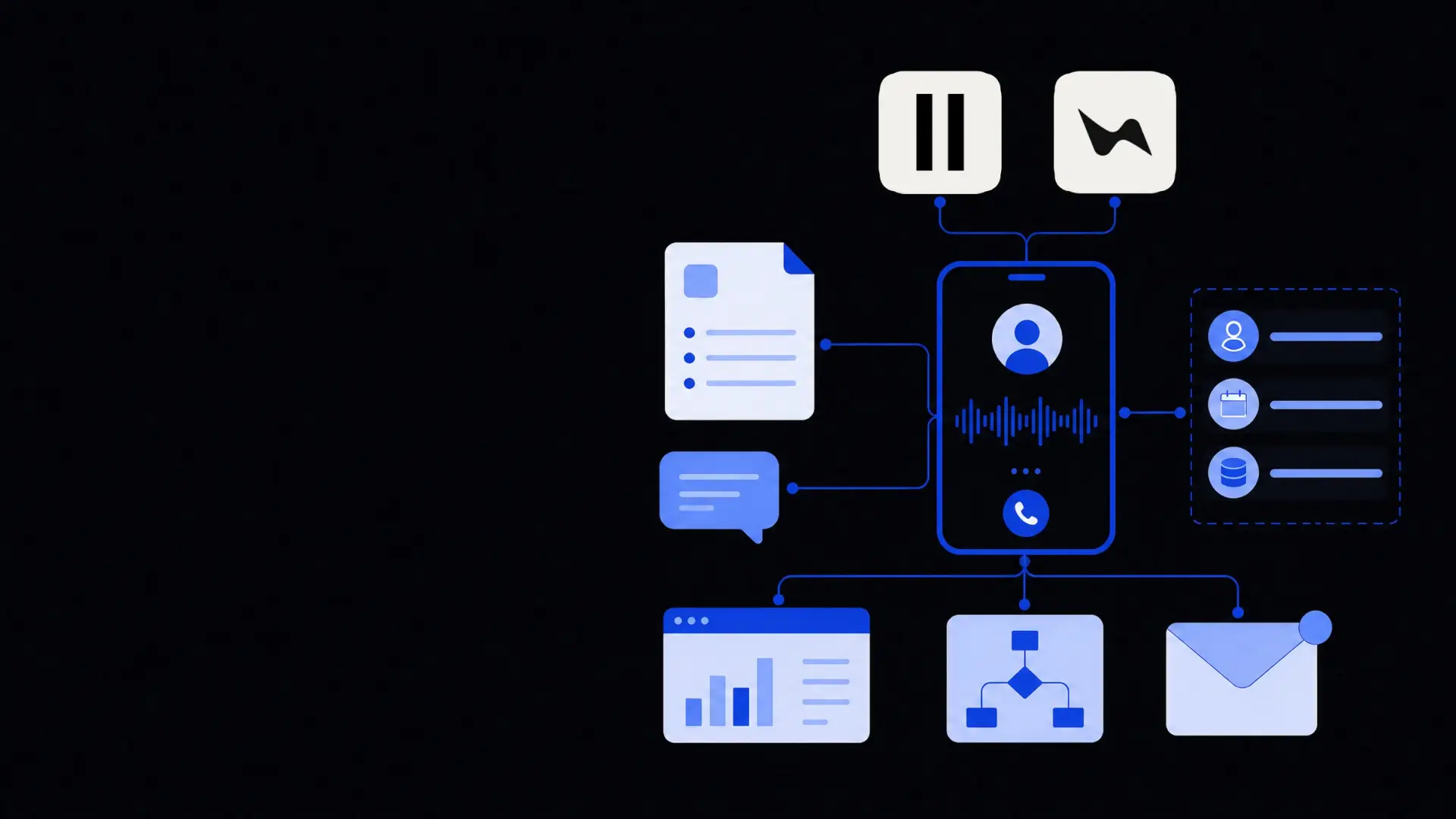
An elevenlabs voice agent built on Vapi combines ElevenLabs' natural-sounding speech with Vapi's real-time agent orchestration, giving you phone or web voice experiences that feel human while staying programmable, measurable, and safe. By wiring ElevenLabs in as the text‑to‑speech (and optionally speech‑to‑text) layer and using Vapi to manage calls, turn‑taking, tools, and logic, you get a production-ready voice agent that can plug into your CRM, helpdesk, or back-office systems with predictable performance.
What is an ElevenLabs + Vapi voice agent, in practice?
An ElevenLabs + Vapi voice agent is an AI system that listens to a caller, understands what they say, and responds out loud using an ElevenLabs voice while Vapi coordinates the conversation and integrations.
In most implementations, there are four layers:
- Transport layer – phone calls, web widget, or in-app voice.
- Realtime agent layer (Vapi) – handles streaming audio, call routing, interruptions, and tool calls.
- LLM reasoning layer – chooses what to say and which actions to take.
- Voice layer (ElevenLabs) – turns text into natural speech, and optionally speech into text.
ElevenLabs focuses on making the voice sound human, while Vapi focuses on making the agent behave reliably in real time.
Let your language model decide what to say, Vapi decide when to say it, and ElevenLabs decide how it sounds.
Why pair ElevenLabs with Vapi instead of using voice alone?
When people first test ElevenLabs, they often think “This is the product.” But voice quality is only one part of a good agent. Vapi adds the orchestration you need for real-world use.
Strengths of ElevenLabs
ElevenLabs is a generative AI voice platform that turns text into realistic speech and can also clone or design custom voices. Its main strengths:
- Natural prosody and emotion – intonation and pacing feel closer to a real human than basic TTS.
- Voice branding – you can create consistent brand voices for sales, support, or collections.
- Multi-language support – useful if your agents operate in several markets.
- Streaming output – enables low-latency responses in live calls.
On its own, though, ElevenLabs does not:
- Route or manage calls.
- Decide when to speak versus listen.
- Keep context across turns.
- Call your internal tools, APIs, or CRMs.
- Enforce compliance or business rules.
What Vapi adds on top
Vapi is a voice agent platform that sits between your callers, the language model, and your tools. Its role is to:
- Stream audio in both directions – so agents can interrupt and be interrupted.
- Control turn-taking – detect when the user is done speaking and when to start output.
- Manage agent state – memory, goals, and conversation context.
- Invoke tools – e.g., CRM lookups, bookings, order updates via APIs.
- Integrate channels – phone numbers, SIP, web widgets, app SDKs.
- Log and monitor – transcripts, metrics, and recordings for QA and improvement.
Pairing ElevenLabs with Vapi gives you natural speech plus operational control. The agent becomes a component in your system rather than a black box that only “talks nicely.”
If you need help thinking through this architecture beyond a single channel, Framworq's AI voice agents development service focuses specifically on these multi-layer setups.
Core architecture: how ElevenLabs and Vapi fit together
Most production setups follow a similar pattern. It is helpful to picture the data flow step by step.
1. Caller → Vapi: audio input
- A user calls a phone number or taps a “Talk” button in your app or site.
- Vapi receives a live audio stream from the telephony provider or browser.
- Vapi either:
- Uses its built-in speech-to-text, or
- Forwards the audio to ElevenLabs (or another STT) if you want unified voice in and out.
Choosing STT:
- Use Vapi's STT if you value simplicity and fewer moving parts.
- Use ElevenLabs STT if you want consistent language handling and diarization with your chosen voices, or if quality in your language is better.
2. Vapi → LLM: understanding and decisions
Once Vapi has text:
- It maintains conversation state and system instructions.
- It sends the user text plus context to your chosen LLM (OpenAI, Anthropic, etc.).
- The LLM:
- Decides how to respond.
- May call tools (via Vapi) for real data, such as:
- Checking account balances.
- Booking or rescheduling appointments.
- Updating tickets or CRM records.
- Vapi executes tool calls via your APIs or webhooks and feeds results back to the LLM.
This layer is where serious design matters. If you need more complex automations, it can be helpful to design the tool layer together with broader business process automation rather than as a one-off script.
3. LLM → Vapi → ElevenLabs: speaking back
After the LLM produces a response:
- Vapi receives the text and starts streaming it out.
- It forwards text chunks to ElevenLabs TTS using your selected voice and settings.
- ElevenLabs streams back audio while the sentence is still being generated.
- Vapi routes the audio back to the caller with minimal latency.
Key levers to tune:
- Voice selection – generic vs custom-cloned voice.
- Stability and style settings – how expressive or flat the voice should be.
- Pacing – pausing around numbers, legal text, or sensitive information.
- Barge-in behaviour – whether callers can interrupt responses mid-sentence.
4. Logging and analytics
Vapi usually becomes the source of truth for:
- Call metadata (duration, outcome, channel).
- Transcripts with timestamps.
- Tool calls performed and their results.
- Errors, disconnects, and edge cases.
You can then feed this data into dashboards, QA workflows, or ROI models, for example using Framworq's AI chatbots and voice agents solutions as a foundation.
How to design an ElevenLabs voice that fits your use case
A realistic voice is not automatically a good voice. It should match your domain, audience, and risk profile.
1. Choose voice type and persona
Common approaches:
- Standard prebuilt voice – fastest option; good for prototypes and internal tools.
- Brand voice – trained on approved recordings to represent your company.
- Role-specific voices – one for sales, another for support, another for collections.
When defining the persona, write a short voice brief:
- Who is this agent? (Role, seniority, tone.)
- Who are they talking to? (Demographics, context, emotional state.)
- What should they never do? (Aggression, over-familiarity, humour in serious contexts.)
2. Balance warmth with clarity
Trade-offs to consider:
- Warmth vs speed – more expressive voices can be slower and may insert longer pauses.
- Clarity vs “human quirks” – adding too many fillers (“uh”, “um”) can frustrate users.
- Accent choices – match your typical caller base to avoid comprehension issues.
For regulated industries like finance or healthcare, prioritize clarity and neutrality over heavy emotional expression. That also makes compliance review easier.
3. Control speaking style via prompts and settings
You can shape the voice not just in ElevenLabs, but also via the LLM:
- In your system prompt, specify:
- Sentence length.
- Use of bullet-style summaries for complex steps (spoken as “First…, Second…”).
- How to handle saying URLs, codes, and numbers.
- In ElevenLabs:
- Use stability / similarity controls to reduce unexpected inflections.
- Test how the voice reads long numbers, dates, and technical terms.
Small adjustments here often reduce call time and repeat questions more than changing the core model.
Implementing an ElevenLabs + Vapi voice agent step by step
This is a practical high-level path from idea to production.
Step 1: Define one narrow, measurable use case
Start with a single call type or workflow:
- Outbound payment reminders with basic payment plan setup.
- Inbound “Where is my order?” calls for e‑commerce.
- After-hours appointment booking and rescheduling.
- First-line triage for IT or HR helpdesks.
For that use case, define:
- Entry conditions (when calls should be routed to the agent).
- Success criteria (e.g., “Resolve 60% of calls without a human”).
- Guard rails (when to escalate to humans).
Step 2: Map the conversation and tools
Before touching any API keys, map:
- Typical user intents and the minimum data needed for each.
- The tools the agent must have, e.g.:
- “Get order by phone number.”
- “Update shipping address.”
- “Create helpdesk ticket.”
- Failure paths:
- “What if the API is down?”
- “What if data is missing or inconsistent?”
- “What if the user is angry, confused, or refuses verification?”
Design your tools as small, reliable operations with clear input/output contracts. This also keeps your AI agent development efforts modular if you later add chat or email channels.
Step 3: Configure Vapi with ElevenLabs
In Vapi, you will typically:
- Create an agent configuration:
- System prompt and behaviour rules.
- Default language and allowed tools.
- Connect ElevenLabs:
- Add your ElevenLabs API key.
- Select default voice and language.
- Set speaking rate and streaming options.
- Choose STT:
- Enable Vapi STT or configure ElevenLabs STT endpoint.
- Configure call channel:
- Phone number / SIP or web widget.
- Timeout rules and escalation / transfer paths.
For early tests, keep this as simple as possible and avoid exotic LLM features until you know the fundamentals work well.
Step 4: Test with structured scenarios
Do not jump straight to live traffic. Create a small set of scripted tests:
- 5–10 “happy path” calls per key intent.
- 5–10 “messy” calls:
- Interruptions.
- Background noise.
- People talking over each other.
- Deliberately wrong information.
When testing, measure:
- Latency from end-of-speech to agent reply.
- Interrupt handling (can you cut it off naturally?).
- Accuracy of data operations (no wrong bookings, charges, or updates).
- How it handles “I want to speak to a human.”
Log every failure pattern; many can be solved by prompt and tool design rather than changing the model or voice.
Step 5: Roll out gradually with guard rails
Move from lab tests to production in controlled phases:
- Limited internal use (staff-only number or feature flag).
- Small percentage of real calls (e.g., after-hours only, or low-risk segments).
- Progressive expansion with clear opt-outs:
- “Say ‘agent’ any time to speak to a person.”
- Timeouts that transfer to a human after repeated failures.
Monitor:
- Transfer rates to humans and reasons.
- Average handle time vs humans.
- Customer satisfaction from short post-call surveys.
- Tool error rates (e.g., failed API calls, mismatches).
Common pitfalls and how to avoid them
Even with high-quality voice and a capable agent platform, there are recurring failure modes.
- Over-broad scope from day one
Trying to make a single agent do sales, support, and collections usually creates confusion. Start narrow and expand by use case.
- Ignoring edge cases around identity and consent
For anything sensitive, design explicit flows for verification and how the agent proves who it is. Consider legal requirements by region.
- Letting the agent improvise procedures
Freeze critical flows (payment plans, cancellations, legal notices) as tool calls or templates. Do not let the LLM “invent” steps.
- Relying only on gut feel during testing
A voice that “sounds good” might still mis-handle 20% of cases. Use transcripts and specific metrics to guide changes.
- No clear escalation or accountability
Always provide a way out to a human, and decide which team owns tuning the agent: support, operations, or a dedicated automation group.
For many teams, the hardest part is less about the ElevenLabs or Vapi configuration and more about choosing the right scope, tools, and guard rails. That is where an end-to-end view of AI chatbots and voice agents in your operations helps connect the voice agent to your broader service strategy rather than treating it as an isolated experiment.
Where Framworq can help
Want this mapped for your business?
We’ll help you find the highest-leverage workflows to automate first — and build them end to end. No jargon, no lock-in.
Book a free automation audit