
How to automate document review with AI using Claude
See how to design an end‑to‑end Claude workflow that automates document review without losing accuracy, compliance, or human judgment.
On this page
- What does it mean to automate document review with AI?
- Where AI document review makes sense (and where it does not)
- Core components of an automated review workflow with Claude
- How Claude actually reviews a document
- Designing guardrails, quality checks, and oversight
- A practical rollout plan for Claude‑based document review
Automating document review with AI means building a workflow where tools like Claude pre-screen, summarise, and flag issues in documents before humans make final decisions. Done well, this cuts review time, standardises quality, and reduces errors while keeping people in charge of approvals and nuanced judgment.
What does it mean to automate document review with AI?
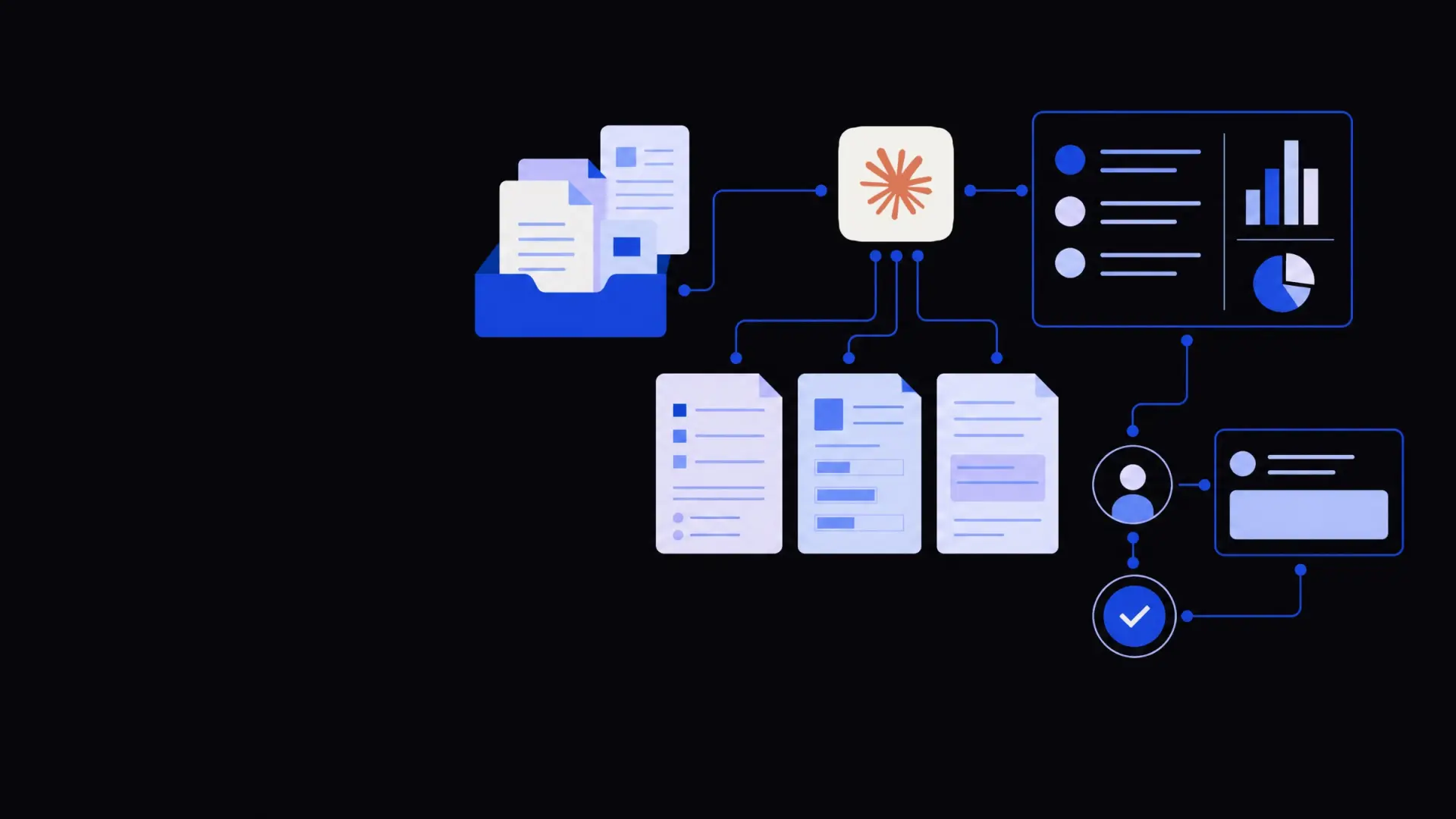
To automate document review AI workflows, you design a pipeline where documents are ingested, parsed, analysed by a model like Claude, and routed to the right people based on clear rules.
Document review automation is the practice of having AI perform repeatable reading and analysis tasks that humans previously did line by line.
Instead of a person opening every PDF or Word file, an automated review workflow:
- Collects documents from email, portals, and internal systems.
- Extracts and structures the text, even from scans.
- Applies policies and checklists using Claude.
- Produces a clear output: pass/fail, risk level, summary, and required actions.
- Escalates edge cases or high‑risk items to human reviewers.
This does not remove humans from the loop. It moves them to higher‑value activities: verifying edge cases, handling negotiations, and making final calls on complex issues.
The most reliable AI document review workflows keep humans in charge of decisions and use AI to standardise the grunt work.
Where AI document review makes sense (and where it does not)
Before designing a workflow, it helps to be precise about fit.
Good candidates for AI‑assisted document review:
- High volume, similar structure
- NDAs, MSAs, purchase orders, SOWs.
- Vendor contracts, customer agreements, leases.
- KYC/AML packs, onboarding forms, HR contracts.
- Rule‑driven checks
- “Is clause X present, and does it include Y?”
- “Are mandatory fields completed and consistent?”
- “Does this document meet our policy or template?”
- Summarisation and triage
- One‑page summaries for long reports or contracts.
- Extracting key terms: parties, dates, amounts, SLAs.
- Risk scoring based on standard criteria.
Weak candidates or areas needing extra care:
- Open‑ended judgment calls
- “Is this fair?” in complex negotiations with no clear policy.
- Highly strategic or political documents.
- Very low volume, highly bespoke work
- One‑off, complex agreements unlike anything else in your library.
- Regulatory submissions with unique structures.
- Situations where errors have extreme downside
- Safety‑critical approvals without a strong human review step.
- Regulatory filings where any misstatement is unacceptable.
If most of your work fits in the “good candidate” bucket, automation can reduce review time dramatically. For the edge cases, aim to support—not replace—expert judgment.
Core components of an automated review workflow with Claude
An effective Claude‑based document review workflow is more than “send text to the model.” It has clear stages, each with specific tools.
1. Document intake and routing
The intake stage collects documents from where they naturally appear and pushes them into a queue.
Common entry points:
- A dedicated email address (e.g. contracts@…).
- An upload form in your portal or intranet.
- Direct integrations with systems like CRM, ERP, or DMS.
- File drops in cloud storage (SharePoint, Google Drive, S3).
Practical design choices:
- Standardise how documents are named and tagged when they arrive.
- Attach metadata (counterparty, deal owner, region, due date).
- Route documents into queues (e.g. “Standard NDA”, “Custom MSA”, “High‑value deal”) based on simple rules.
This is a good place to connect with business process automation services or existing workflow tools so you do not rebuild basic plumbing.
2. Text extraction and normalisation
Claude works best with clean text. Many real documents are not clean.
You typically need:
- Optical character recognition (OCR) to read scanned PDFs and images.
- Parsing to split long documents into logical sections and clauses.
- Normalisation to remove headers, footers, and repeated boilerplate when it is not relevant.
A dedicated document processing and OCR service can feed high‑quality text into your Claude prompts, which improves reliability and reduces hallucinations.
3. Policy‑driven prompts and checklists
Claude must apply your policies, not generic legal or operational norms.
You create structured prompts that:
- Define the document type and its purpose.
- Spell out the organisation’s rules:
- Required clauses or fields.
- Maximum acceptable caps, liability, notice periods, etc.
- Ask for outputs in predictable formats:
- JSON objects.
- Bullet lists under set headings.
- Clear pass/fail decisions per check.
Instead of asking, “Is this contract risky?”, ask:
- “Does the limitation of liability clause cap indirect damages?”
- “Is total liability capped at or below 1× annual fees?”
- “If not, explain the deviation in 1–3 sentences.”
Design a checklist per document type. Each item should be verifiable, preferably with references back to clause numbers.
4. Risk scoring and routing logic
Once Claude has evaluated the document, your workflow converts outputs into next steps.
Typical patterns:
- Green – Fully within policy
- Auto‑approve or send for light, quick human sign‑off.
- Amber – Minor deviations
- Route to a mid‑level reviewer with Claude’s summary and suggestions.
- Red – Major deviations or missing key protections
- Escalate to senior legal, compliance, or finance.
You can implement this routing using:
- Internal workflow tools or low‑code platforms.
- Custom AI agent development that orchestrates Claude, data sources, and approval chains.
- Dedicated workflow automation services that plug into your email, Slack, and ticketing systems.
This risk‑based routing is what turns AI analysis into a concrete time saver.
How Claude actually reviews a document
Here is how a Claude‑based review usually works under the hood, once intake and parsing are in place.
Step‑by‑step review cycle
- Classify the document
- Ask Claude: “What type of document is this? NDA, MSA, SOW, policy, other?”
- Use a constrained list so outputs are predictable.
- Locate key sections
- Prompt Claude to identify and label sections: parties, scope, payment, liability, termination, IP, confidentiality, data protection, etc.
- Store these locations for traceability.
- Run policy checks
- For each checklist item, send Claude:
- The relevant section text.
- The specific rule to apply.
- Ask for:
- Pass/fail.
- Exact text snippet that supports the decision.
- Short explanation where it fails.
- For each checklist item, send Claude:
- Generate a structured report
- Ask Claude to compile:
- Executive summary (in plain language).
- List of key terms: parties, dates, amounts, renewal, governing law.
- Risk summary with red/amber/green items.
- Recommended edits or negotiation points.
- Ask Claude to compile:
- Prepare reviewer‑friendly output
- Surface the report in your existing tools:
- A note in your contract lifecycle system.
- A ticket with attachments in Jira or your helpdesk.
- A summary sent to the deal owner in Slack or email.
- Surface the report in your existing tools:
- Capture human feedback
- Let reviewers mark:
- Where they disagreed with Claude.
- Which checks were most and least useful.
- Use this feedback to refine prompts and thresholds.
- Let reviewers mark:
The aim is not to replicate how a human lawyer or analyst thinks. It is to make their work easier, more consistent, and faster.
Designing guardrails, quality checks, and oversight
AI document review is only as strong as its guardrails. You need clear controls to manage risk and maintain trust.
Human in the loop by design
Decide in advance which decisions can be automated and which must be human‑approved.
Examples:
- Safe to auto‑approve:
- Standard vendor NDA matching your template with no changes.
- Low‑value, low‑risk documents under a certain threshold.
- Must have human review:
- Any red‑flag deviations from policy.
- Multi‑year, high‑value agreements or strategic relationships.
- Regulatory or compliance documents.
This fits naturally into your broader business operations automation strategy, where different workflows have different approval tiers.
Validation and sampling
You should test and monitor Claude’s performance like any other critical process.
Practices that work:
- Run parallel reviews on a sample set:
- Humans review without seeing Claude’s output.
- Compare results for missed risks and false positives.
- Build a sampling plan:
- Always double‑check a percentage of “green” outputs.
- Review all “red” outputs for a period after go‑live.
- Track simple metrics:
- Time saved per document.
- Number of documents auto‑approved within policy.
- Rate of human overrides or corrections.
Over time, you can adjust thresholds for automation as confidence grows.
Data privacy and access control
Sensitive documents require care regardless of AI.
Key precautions:
- Limit who can access AI outputs, especially summaries that might be easier to share.
- Control where data is stored and processed.
- Use environment settings or vendors that support your compliance requirements (for example, data residency, SOC 2, or ISO‑aligned practices).
- Mask or minimise data where possible, especially for PII‑heavy workflows like HR or KYC.
In many cases, routing sensitive reviews through your internal systems with strict permissions is as important as the AI itself.
A practical rollout plan for Claude‑based document review
Moving from idea to working system is easier when you proceed in stages.
1. Choose one high‑value document type
Start narrow. Examples:
- NDAs in a sales organisation.
- Vendor contracts in procurement.
- SOWs in a services business.
- Onboarding packs in a regulated industry.
Pick something:
- High volume.
- With reasonably consistent structure.
- Where you already have a clear policy or template.
2. Codify your policies
Sit with the team who does reviews today. Extract:
- Their informal rules and red lines.
- Common negotiation points.
- Typical reasons for pushing back or escalating.
Translate this into:
- A written checklist.
- Example “good” and “bad” clauses or documents.
Claude can then be calibrated against this ground truth.
3. Build a pilot workflow
For the pilot, you do not need a perfect end‑to‑end system.
Aim for:
- Manual upload of documents.
- Automated parsing and Claude review.
- A simple report that reviewers can read.
- A place to record their corrections and comments.
You can assemble this with low‑code tools plus targeted AI consulting or custom AI development rather than rewriting your whole stack.
4. Iterate, then integrate
After 4–8 weeks of piloting:
- Review where Claude helped and where it struggled.
- Refine prompts, thresholds, and routing rules.
- Only then integrate deeper into:
- Contract lifecycle tools.
- CRM or ERP systems.
- Ticketing or approval workflows.
This staged approach reduces risk and makes it easier to get buy‑in from legal, compliance, and operational stakeholders.
By treating Claude as an engine inside a broader workflow—rather than a standalone magic tool—you can automate document review in a way that is faster, more consistent, and still firmly under human control.
Where Framworq can help
Want this mapped for your business?
We’ll help you find the highest-leverage workflows to automate first — and build them end to end. No jargon, no lock-in.
Book a free automation audit